Release History
Only the latest of OpenKneeboard is supported, and downgrading is not supported. If you install outdated, development, or test versions, you may need to reset your settings with the Fresh Start tool.
v1.12.12 Latest 2026-10-16 copy link
🍁 Fix crash if Windows has missing or incomplete support for the current timezone
Due to Windows updates in October 2026, this primarily affects users from:
Affected users will see times in UTC instead of in their local time until the timezones are supported by the relevant Windows components.
v1.12.10 2026-05-26 copy link
- 🐛 Fixed sidebar and header/footer bleeding into content area by partial-pixels for some kinds of content at some sizes; thanks to @yesnault !
- 🐛 Don’t crash if a FolderPageSource is disposed while it is updating for filesystem changes
- 🩹 Don’t crash when creating a File Picker if standard location (e.g. the ‘documents’ folder) does not exist
- 🩹 Fix typo in tab settings page
- 🔊 Add explicit warning log about depth submission (iRacing)
v1.12.8 2026-02-18 copy link
- 🗑️ Removed the “UAC was previously disabled” warning; this was present because of common third-party issues that affected OpenKneeboard, but have since been fixed by the third-parties. More general problems remain if the system permissions are broken, but it no longer seems common enough to be worth having this extra message. I am likely to re-add it if this becomes a common problem again
- 🐛 Prevent hang or extremely large file creation on some corrupted trk/miz files
- 🐛 Don’t crash when creating the debug log zips if your windows user doesn’t have permission to check if a particular OpenXR API layer exists
- 🔊 Add a dedicated error message if Direct3D is unavailable
v1.12.6 2026-02-03 copy link
- ⚡ VRAM that OpenKneeboard shares with the game now takes top priority when more VRAM is needed than available; as this VRAM is always needed within 3 frames, this may make things less bad if your system runs out of VRAM. This only affects the VRAM used to store the final rendered kneeboards
- 🩹 If the F16 key is bound, the label is now shown instead of the hex key code. F1-15 and F17-24 were already handled
- 🩹 The admin/UAC checks are now skipped if Wine is detected, as Wine always reports that things are running as admin. OpenKneeboard is not expected to work under Wine, however, I did not intend to put a hard block on it.
- 🔊 Added VRAM usage to debug logs zip
- 🔊 Added more detailed logging if an OpenXR application uses an unsupported graphics API (e.g. OpenGL)
v1.12.4 2026-01-13 copy link
- ⚡ Prevent reduced OpenKneeboard framerate on Windows 11 when in the background; this does not affect game framerate. As a power saving measure, Windows 11 changed to reduce the accuracy of timers of background applications, which affects frame timers.
- 🐛 Fix undefined behavior when a website that integrates with OpenKneeboard requests a page change. While there were no reports of related problems, this could have potentially caused crashes or other reliability problems when using web dashboard tabs with websites that integrate with OpenKneeboard’s next/previous page feature
- 🩹 Fix incorrect message text for some unsupported environments. This doesn’t change the overall behavior or requirements, it just corrects the text.
- 🦺 Added a warning if Windows < 10 is detected. The primary reason for this check is to warn people who have turned on a compatibility mode in shortcut properties and forgotten about it. OpenKneeboard uses features that were added to Windows 10 19H1, and while it does not actively block older versions, it should not be expected to work correctly (or at all) on earlier versions, or in compatibility modes that emulate older versions
- ⚰️ Removed explanation text for the ‘Always update swapchain” option from advanced settings; the actual option was removed in v1.9.2.
- ⚰️ Removed an option in the ‘about’ page to load a copyright license file that no longer exists
v1.12.2 2025-11-16 copy link
- ✨ Web dashboard tabs now have the ability to disable OpenKneeboard extensions/integrations. This is a workaround for web pages with buggy integrations
- 🐛 Fix OpenKneeboard intermittently switching tabs the moment tab settings are changed; if a settings popup was still open, this could lead to the app window becoming greyed out and unusable
- 🔊 More detailed debug logging for monitors, including which GPU they are connected to
- 🔊 Log OpenXR application and engine information
- 📄 Relicensed: projects derived from OpenKneeboard must change the name and unique identifiers to reduce confusion and technical conflicts
- 🔥 Remove
RELOAD_CURRENT_TABremote control/API, as a courtesy to the original contributor. I was unable to reach the original author when proposing the license change.
v1.12.0 2025-09-01 copy link
- 🐛 Fix crash if > 16 views are added; added limit to UI
- 🐛 Fix crash if user doesn’t have permission to see if their own Saved Games folder exists
- 🐛 Fix crash if user doesn’t have permission to read/write to their own LOCALAPPDATA folder
- 💥 OpenKneeboard can no longer be ran as Administrator, or with User Account Control (UAC) turned off
- this is related to the previous 2 crash fixes
- the previous warnings were extremely obtrusive, but still widely ignored
- it is relatively common for people to try running it as administrator just once ‘to see if it fixes things’; like most Windows software released since Windows Vista, even running it as admin ‘just once’ is much more likely to cause problems - including problems that can not reasonably be fixed except by reinstalling windows - than fix them.
- I will not reconsider this change
- 🔊 Added a warning if UAC was previously enabled
- This ties into the previous 2 crash fixes, and several reports of issues in other related software and driver caused by disabling UAC
- Similar to the previous UAC/Administrator warnings, it is still possible to start OpenKneeboard with this warning. If they are similarly ignored, it will become a hard error in the future
- I will not reconsider this change
For more information on the UAC/elevation changes, see https://openkneeboard.com/troubleshooting/elevation/
v1.10.16 2025-07-19 copy link
- 🐛 Fix window capture tabs being blank or not updating on Windows 11 24H2
- previous versions of Windows (including earlier versions of Windows 11) have a performance issue where Windows constantly says that captured windows have a new frame, even if nothing’s changed. OpenKneeboard accidentally depended on this bug
- 🔇Stop writing entries in the DCS World log that have turned out to be misleading to people investigating unrelated DCS startup or OpenXR issues
v1.10.14 2025-06-13 copy link
- 🦺 Several common misconfigurations in Games Settings are now prevented or corrected
- The iRacing UI/launcher is replaced with the game
- The Elite Dangerous launcher is replaced with the game
- Some common tools are automatically removed from the games list and can’t be re-added; adding something that is not a game to the games list is never beneficial in any way, and can cause severe performance and reliability issues
- 🐛 Fixed a memory leak when enumerating processes
- 🐛 Fixed crash if OpenKneeboard is waiting for certain kinds of events, and the waiting is cancelled at the same time the event occurs
- 🐛 Fixed crash if a folder page source is removed at the same time the contents of the folder is modified
- 🔊 Replaced ‘SteamVR’ with ‘OpenVR’ in
renderers.txtin debug logs - 🔊
renderers.txtin the debug logs now contains the current and most recent game - 🔊 added more tracing for the Lua API
v1.10.12 2025-05-28 copy link
- 🐛 Fix crash if DCS mission name ends with a space (#774); this has recently became a common problem with the campaign “The Serpent’s Head”
- 🐛 Fixed ‘go to bindings’ button in VR settings
- 🔇 Fixed log spam if a game is added to the game’s list, but the game’s anti-cheat prevents OpenKneeboard from inspecting it. OpenXR games do not usually need to be added to OpenKneeboard’s games list
v1.10.10 2025-04-09 copy link
- 📝 Added “Tips for VR sim racing” to quick start guide
- 🐛 Fix crash if an asynchronous task finishes in a new thread before the original thread starts waiting for it
- 🐛 Fix crash on exit if a chromium developer tools window is open
- 🐛 Block pop-up windows from browser tabs; these were not functional, and led to a crash on exit
- 🔇 Removed accidental logging of display devices (monitors, some headsets, and related niche devices)
v1.10.8 2025-02-25 copy link
- 📈 Fix intermittent performance issue if multiple views overlap and gaze-based input focus is enabled; this includes when fully transparent areas of oversized views overlap
- 🐛Web dashboards: fix crash if mouse/tablet is used before the browser has finished initializing
- 🩹 Fix incorrect timestamps in log files
v1.10.6 2025-02-19 copy link
- 🐛 Fix crash if OpenKneeboard was closed with no tabs
- 🐛 Fix build issue that could lead to crashes without dumps
- 🐛 Fix experimental JavaScript features (e.g. web pages with custom previous/next page behavior) breaking when page was reloaded or navigated 🐛 Fix build issue that could lead to crashes when errors should be handled, and crashes without dumps
v1.10.4 2025-02-08 copy link
Bug Fixes
- 🐛 Force Chromium onto the same GPU as OpenKneeboard; this is needed for efficient VRAM copying
- this fixes a crash on some multi-GPU systems (including integrated graphics), where Chromium may select an alternative GPU even if no monitors are attached to it
- 🐛 Fix crash when turning off VR for the first view, if settings have been reset to default or were not migrated from v1.8
- 🐛 Fixed crash when migrating profiles with no settings from v1.8
Other Improvements
If the profiles settings file has been manually edited and multiple profiles have the same GUID, duplicate GUIDs will now be replaced with random GUIDs. If you are using remote controls or the API to switch profiles, this may change which profile is switched to.
Editing OpenKneeboard’s settings file except via the OpenKneeboard app remains unsupported, and may lead to OpenKneeboard crashing or other problems. As editing the settings files outside of OpenKneeboard is not supported, any issues encountered are not considered bugs; I’ve added support for this particularly common incorrect edit as a one-off exception.
v1.10.2 2025-02-07 copy link
- 🐛 web dashboards and plugins: fixed crash if a tab uses OpenKneeboard’s page navigation, and multiple views are active
- 🐛 window capture tabs: fixed crash if ‘capture client area’ is turned on and the client area is 0px wide or 0px tall
- 🐛 window capture tabs: if a matching window is minimized when OpenKneeboard is started, it will be captured when it is unminimized
- 🐛 window capture tabs: fixed calculation of client area
- 🐛 fix crash if headers are enabled but there is not enough space to render the header
- 🔊 crash OpenKneeboard (not the game) immediately if there is an unrecoverable error in the frame loop; prior versions would stop updating until OpenKneeboard is restarted, and crash on exit. This makes it easier to see what causes the issue (“it crashes when I do thing”), and provides more useful debugging data
v1.10.0 2025-02-04 copy link
New Features
- ✨ Web dashboards now use Chromium Embedded Framework (CEF) instead of WebView2 (Chromium-based Edge); this improves performance and reliability, and fixes many mouse/tablet-input bugs.
- ✨ Added support for 32-bit OpenXR applications, e.g. OpenRBRVR
- ✨ Legacy Oculus SDK (OVR) support now also supports Virtual Desktop; using OpenXR instead is still recommended where possible
- ✨ New web dashboard tabs will automatically have their tab name set to the web page title
- ✨ The default aspect ratio for various tab types has been changed to 5:8 to match common graphics tablets
- ✨ When you upgrade OpenKneeboard, a backup of your settings is now made in
%LOCALAPPDATA%\OpenKneeboard Backups - ✨ ‘Single file’ and folder tabs now support HTML files
- ✨ Re-introduced support for webp. OpenKneeboard will now detect when Microsoft’s WebP support violates standard behavior, and avoid doing anything else until it has finished and standard behavior resumes; this is usually < 1 ms.
- 🧪 Added experimental support for plugins; plugins can add entries to the ‘Add Tab’ menu, and integrate more throughly with OpenKneeboard. Removal and listing of plugins is not yet supported.
- 🧑💻 “Developer tools” is now an option in the in-app toolbar for web dashboards and plugins
- 🧑💻 Web pages can now choose to support multiple pages, or drawing-on-top; see developer documentation
- 🧑💻 Added JavaScript
OpenKneeboard.GetGraphicsTabletInfo()API
Major changes
- 🚚 Settings are now located in
%LOCALAPPDATA%\OpenKneeboard - 🔥 ‘Always update swapchain’ option has been removed, and is now always on. This commonly triggered bugs in other OpenXR components, and while it marginally improved performance, it reduced the predictability of frame times and increased the amount of testing required
- 🔥 Removed ‘run as normal user’ option; changes included in Windows Update broke this functionality
- 🔥 Removed support for OVR+D3D12
- 🧑💻 OpenKneeboard no longer adds the
OpenKneeboardandOpenKneeboard_WebView2CSS classes to Web Dashboard<body>tags, to avoid compatibility issues with frameworks that require complete ownership of the DOM.
Other Changes
- 🐛 Rewritten texture copying to avoid dark borders leaking into content
- 🐛 Fixed crash when resetting VR configuration to defaults when there is no legacy configuration
- 🐛 Fixed several crash bugs that could be triggered by switching profiles
- 🐛 DirectInput: fixed intermittent crash when DirectInput controllers are unplugged
- 🐛 Fixed crash if Windows returns an error when checking if the DCS saved games folder exists; this is usually caused by improperly relocating the ‘saved games’ folder, e.g. by using NTFS junctions
- 🐛 Stopped the app becoming unresponsive for a ridiculously long time (multiple minutes) if a window capture tab can’t find a matching window
- 🐛 Fixed crash when changing window capture tab settings
- 🐛 Renaming a tab now instantly affects the left navigation bar in the OpenKneeboard app
- 🐛 Fixed various crashes when closing OpenKneeboard immediately after starting it (before OpenKneeboard’s frame loop starts)
- 🐛 Window capture tabs: fixed potential crash when switching profiles immediately after a matching window is created
- 🐛 Window capture tab: fixed crash if window capture tabs are present and a new window is created while a profile change is in progress
- 🩹 OVR+D3D11: OpenKneeboard will no longer crash the game if submitting the texture fails; however, most games will crash in this situation regardless. This is usually caused by configuring OpenKneeboard to use OVR+D3D11 for a game that uses OVR+D3D12
- 🩹 Window capture tab: consistently show ‘No pages’ message when no matching window, instead of ‘width or hegiht is 0’
- 🩹 OpenXR conformance: return XR_ERROR_LIMIT_REACHED instead of XR_ERROR_RUNTIME_FAILURE if an XrSession is created while another is still active
- 🩹 OpenXR conformance: return XR_ERROR_FUNCTION_NOT_SUPPORTED for Vulkan functions if the application has not enabled the relevant extensions
- 🩹 OpenXR conformance: improved conformance of
xrEnumerateApiLayerPropertiesandxrEnumerateInstanceExtensionProperties - ⚡ Window capture tabs: reduce time for capture to start after a matching window is opened
- 🔨
symbolize-traces.exenow takes an optional--pdb-pathparameter - 🔨
symbolize-traces.exenow handles frames with an invalid offset; this probably means the wrong PDB files are being used - 🔨
symbolize-traces.exenow looks up symbols for the ‘Blame frame’ in an OpenKneeboard crash log - 🔨 Crash logs and dumps are now much more likely to be useful
- 🔨 In situation where OpenKneeboard would either subtly misbehave, or cause a delayed crash without useful information, OpenKneeboard is now more likely to crash immediately, with information that is useful for debugging. This has led to many of the bugfixes in v1.10
v1.9.14 Prerelease 2025-01-27 copy link
- ✨ WebView2 (MS Edge) has been replaced with Chromium Embedded Framework (CEF); this should greatly improve performance and reliability of web pages
- ✨ Installer has been rewritten for more flexibility, and to be more thorough about removing old versions
- ✨ The default aspect ratio for various tab types has been changed to 5:8 to match common graphics tablets
- ✨ “Developer tools” is now an option in the in-app toolbar for web dashboards and plugins; it is no longer available in tab settings
- 🐛 Rewrote Direct3D 12 texture copying to avoid dark borders leaking into content. This fix was previously limited to D3D11 and Vulkan
- 🐛 Fixed “Metadata file ‘v1.json’ has an unknown size” error when installing plugins on some systems
- 🐛 Fixed drawing on endless notebook tabs
- 🐛 Fixed crash when entering syntactically invalid URLs, e.g. URLs with spaces in the hostname
- 🐛 Fixed crash when turning off OpenTabletDriver
- 🐛 Fixed various crashes caused by Microsoft C++ library bugs
- 🐛 Fixed hangs if timer awaitables are cancelled before they are started
- 🩹 The “OpenTabletDriver is misconfigured” message is now only shown if you explicitly turned OTD on or if you have previously used it
- 🩹 The “You are running as administrator” messages no longer depend on the application UI loading correctly, and are also shown for unsupported UAC configurations
- 🔥Removed ‘run as normal user’ option; Windows updates made it so the option no longer worked correctly
- 🔥Removed
RawCursorEventsJavaScript experimental feature; it should not be needed any more due to the move from WebView2 to CEF - 🔥Legacy Oculus + D3D12 support has been removed; I’m not aware of any games that were using this combination
v1.9.12 Prerelease 2024-12-03 copy link
- 🐛 OpenXR+D3D12: fix RAM leak
- 🐛 OpenXR+D3D12: fix resources sometimes being freed before a frame has entirely finished rendering
- 🐛 Profile switching: fix several issues that could lead to crashes
- 🐛 Window capture tabs: fix potential crash when switching profiles immediately after a matching window is created
- ⚡ Window capture tabs: reduce time for capture to start after a matching window is opened
- 🩹 Window capture tab: consistently show ‘No pages’ message when no matching window, isntead of ‘width or hegiht is 0’
- 🐛 DirectInput: fix intermittent crash when DirectInput controllers are unplugged
- 🩹🚧: fix dark lines at top/bottom when header or footer are turned of per view. This is fixed for D3D11 and Vulkan, but not yet fixed for D3D12. As a workaround, you can turn off the header and footer for all views in advanced settings instead - #658
- ✨ OpenKneeboard-Viewer: support unscaled rendering - press ‘U’ to activate
- 🩹 OpenXR conformance: return
XR_ERROR_LIMIT_REACHEDinstead ofXR_ERROR_RUNTIME_FAILUREif anXrSessionis created while another is still active - 🩹 OpenXR conformance: return
XR_ERROR_FUNCTION_NOT_SUPPORTEDfor Vulkan functions if the application has not enabled the relevant extensions - 👷 Improvements to crash logging and dumps
- 🐛 Fix crash if a coroutine throws an exception that should be caught
- 🐛 Fix crash if a timer is cancelled after it is created but before it is started
- 🐛 Fix crash if Windows returns an error when checking if the DCS saved games folder exists
- 🔊 Include Windows version and edition (e.g. Home, Pro, Enterprise) in debug logs
- ⚡Stopped switching back to original thread for coroutines with discarded results (
fire_and_forget) - 🐛 Remove assertion if a coroutine is returned on the same thread/COM context, but the thread ID has changed (e.g. for tasks on the windwos thread bool)
- 🧑💻 Added debug names to various D3D12 resources
- 🚧 Started replacing WinUI3 with WebView-based UI; ‘Developer Tools’ settings page is no longer using WinUI
The OpenXR+D3D12 changes primarily improve compatibility with MSFS 2024.
Some bugfixes have not been applied to v1.8 as:
- the bugs are unlikely to cause practical problems for most people
- the fixes depend on invasive changes that carry the risk of reducing overall stability, so for now, are only suitable for test versions
v1.8.14 2024-12-02 copy link
-
 OpenXR+D3D12: fix RAM leak
 -
OpenXR+D3D12: fix resources sometimes being freed before a frame has entirely finished rendering
-
DirectInput: fix intermittent crash when DirectInput controllers are unplugged
-
 OpenXR conformance: return
 XR_ERROR_LIMIT_REACHEDinstead ofXR_ERROR_RUNTIME_FAILUREif anXrSessionis created while another is still active
The OpenXR+D3D12 changes primarily improve compatibility with MSFS 2024.
v1.9.10 Prerelease 2024-09-25 copy link
- ✨ Offline HTML/JavaScript plugins can now be entirely contained in a
.OpenKneeboardPluginfile via aplugin://URI, like the basic calculator plugin - ✨ Improved process when updating plugins
- 🐛 Fix crash when triggering in-app toolbar toggle buttons (e.g. navigation mode)
- 🐛 Fix crash when endless notebook tabs are cleaned up (e.g. when switching profiles, removing the tab, or closing the app)
- 🐛 Fix the app becoming unresponsive for a ridiculously long time (multiple minutes) if a window capture tab can’t find a matching window
- 🐛 Fixed crash when changing window capture tab settings
- 🐛 Fixed crash if DCS sends an invalid time for the ‘mission time’ clock
v1.9.8 Prerelease 2024-09-16 copy link
- ✨ New web dashboard tabs will automatically have their tab name set to the web page title
- 🚚 Settings backups have been moved from
%LOCALAPPDATA%\OpenKneeboard\Backupsto%LOCALAPPDATA%\OpenKneeboard Backups, so that if you manually delete the%LOCALAPPDATA%\OpenKneeboardfolder, you don’t delete the backups too - 🚚 Moved OpenKneeboard crash logs from
%LOCALAPPDATA%\OpenKneeboard\Logsto%LOCALAPPDATA%\OpenKneeboard Logs - 🐛 User input (e.g. tab switches) are now handled on the next frame timer, even if a new frame is not currently scheduled
- 🐛 Fixed window capture tabs not updating correctly
- 🐛 Fixed crash when switching to a profile with no tabs
- 🐛 Renaming a tab now instantly affects the left navigation bar in the OpenKneeboard app
- 🐛 Fixed crash when moving the mouse cursor over the OpenKneeboard app window when there is no current tab; this can be both when there are no tabs configured, or while a profile is loading
- 🐛 Fixed various crashes when closing OpenKneeboard immediately after starting it (before OpenKneeboard’s frame loop starts)
- 🐛 Fixed crash if window capture tabs are present and a new window is created while a profile change is in progress
- 🛠️
symbolize-traces.exenow takes an optional--pdb-pathparameter - 🛠️
symbolize-traces.exenow handles frames with an invalid offset; this probably means the wrong PDB files are being used - 🛠️
symbolize-traces.exenow looks up symbols for the ‘Blame frame’ in an OpenKneeboard crash log
v1.8.12 2024-09-16 copy link
- 🐛 If OpenKneeboard is launched elevated and configured to relaunch without elevation, but it is still elevated afterwards, it will now log a failure rather than freeze
- 🦺 The autoupdater will now show a warning if the new version is a development/test version
- 🦺 v1.8 will delete a registry value used by v1.9+ to detect if a new backup is needed; this will cause v1.9+ to create a new settings backup if you downgrade to v1.8 then upgrade again, rather than just the first time you run a v1.9+ version
- 📝 Debug logs now include the active OpenXR runtime if there is one, even if the list of installed/available runtimes is empty; it is possible for a runtime that is not in the list to be active, and this is common for older OpenXR runtimes
- 📝 Debug logs now include the command line arguments when OpenKneeboard is started
v1.9.6 Prerelease 2024-09-12 copy link
- 🐛 Fix C/Lua API (e.g. DCS) crash if OpenKneeboard is not running
- 🐛 Improve efficiency and safety of remote controls and other API event handling (e.g. OpenKneeboad crashing in response to DCS activity)
- 🐛 Fix intermittent crashes if PDFs are unloaded while they’re still loading (e.g. when switching profiles very rapidly)
- 🐛 Fix intermittent crashes if the list of tabs is changed while tabs are loading (e.g. when switching profiles very rapidly)
- 🐛 Wait for one API event/remote control (e.g. profile switch) to be complete before starting processing the next
- 📉 Revert Windows App SDK from v1.6 to v1.5; this re-introduces some mouse-handling bugs in Web Dashboards, but fixes scrolling and other core UI issues in the main app
- 📝 Test releases are now more clearly marked
- 📝 Added more debug information when a task is resumed on the wrong thread
v1.9.4 Prerelease 2024-09-11 copy link
- Fixed crash when loading folder tabs
- Improved logging when tabs fail to load
v1.9.2 Prerelease 2024-09-10 copy link
New Features
- Web pages can now choose to support multiple pages, drawing-on-top, or custom cursor handling; see developer documentation
- Web pages can now open the developer tools window from JavaScript
- Added support for plugins, which allow third-party tools to define custom tab types or support custom actions
- Added 32-bit OpenXR support
- Legacy Oculus SDK support now also supports Virtual Desktop; using OpenXR instead is still recommended
- Re-introduced support for webp. OpenKneeboard will now detect when Microsoft’s WebP support violates standard behavior, and avoid doing anything else until it has finished and standard behavior resumes; this is usually < 1 ms.
- TypeScript files are now included for the JS APIs
- ‘Single file’ and folder tabs now support HTML files
Backwards-Incompatible Changes
- Rewritten SimHub integration should be more flexible, and less likely to break with future SimHub updates, however it requires a more recent version of SimHub. If you use SimHub with OpenKneeboard, you may need to update SimHub
- OpenKneeboard no longer adds the
OpenKneeboardandOpenKneeboard_WebView2CSS classes to Web Dashboard<body>tags, to avoid compatibility issues with frameworks that require complete ownership of the DOM. - Settings are now stored in
%LOCALAPPDATA%\OpenKneeboard\Settingsinstead ofSaved Games\OpenKneeboard
Other Major Changes
- Updated to Windows App SDK v1.6; this fixes several mouse emulation issues with Web Dashboards, including drop-downs and several issues related to dragging
- Internal changes that aim to replace ‘might crash or do something weird later’ with ‘will crash now’; in the short-term, this may increase the frequency of crashes, but it will make it much easier to diagnose and fix crashes that are reported in the ftuure
- Developers: this is largely replacing winrt coroutines with a new
OpenKneeboard::task<>custom promise/awaitable. In many cases, this also turns silent corruption into compile errors, which have been resolved. - Developers: this also increases usage of
OpenKneeboard::StateMachine<>, adding both compile-time and runtime checks for transitions and expected stat compile-time and runtime checks for transitions and expected stat compile-time and runtime checks for transitions and expected states
- Developers: this is largely replacing winrt coroutines with a new
- Improved error handling in PDF loading
- Fixed crashes when switching profiles while the previous profile is still loading
- Custom crash handler now includes more information in minidumps, and creates a small, more easily-shareable crash .txt file
Smaller Changes
- Improved D3D11 compatibility by replacing custom saved states with
ID3DDevicecontextStatefrom D3D11.1 -
OculusSDK_DiscardDepthInformationis no longer enabled by default; Oculus SDK is no longer recommended for DCS World in any circumstances, and the option is not needed for other games - OpenXR API Layer: version number now encodes the OpenKneeboard version, instead of always being 1
(MAJOR << 24) | MINOR - OpenXR API layer: improved conformance of
xrEnumerateApiLayerPropertiesandxrEnumerateInstanceExtensionProperties - Fixed rare crash on shutdown
- Settings are now automatically backed up after upgrade/downgrade
- ‘Always update swapchain’ option has been removed, and is now always on. This commonly triggered bugs in other OpenXR components, and while it marginally improved performance, it reduced the predictability of frame times and increased the amount of testing required
Internal-Only Changes
- Moved from C++20 to C++23
- Renamed
scope_guardtoscope_exit, addingscope_successandscope_failure, for consistency with C++ library fundmantals TS v3 - coroutines everywhere. Tabs and page sources are now loaded/refreshed/drawn with coroutines
- Added a ‘Developer Tools’ page to settings; this is shown in untagged builds, but can also be enabled by setting
AlwaysShowDeveloperToolstotrueinApp.json - Renamed
GameEventtoAPIEvent - Replaced
weak_refswith bindline; this added compile-time detection of several bugs, which have been resolved - Added
OPENKNEEBOARD_TraceLoggingCorowhich allows out-of-order start/stop events - Added
symbolize-log.exeto symbols zip for making readable stack traces from crash log files -
OpenKneeboard::task<>will directly callfatal()on uncaught exceptions, or if it is not awaited - Stop setting
XR_COMPOSITION_LAYER_CORRECT_CHROMATIC_ABBERATION_BITon OpenXR Quad Layers, as it is deprecated in OpenXR 1.1, and has never done anything in any OpenXR runtime
v1.8.10 2024-07-27 copy link
This release unfortunately disables functionality that is affected by crash-causing bugs in other software.
webp images
Microsoft’s “Webp Image Extensions” component is no longer used if installed, due to a bug in it that can crash OpenKneeboard. On most systems, this will mean that OpenKneeboard no longer supports webp images.
Workaround: unfortunately, you need to convert any webp images you use with OpenKneeboard to another format, such as png images.
Tablets
Untrusted WinTab drivers
WinTab can no longer be enabled if wintab32.dll does not have a signature that Windows trusts.
- Gaomon, Huion, and Wacom ARE NOT affected
- XP-Pen tablets ARE affected
This is for several reasons:
- unsigned DLLs can cause game crashes in games with anti-cheat if WinTab mode is set to ‘invasive’
- XP-Pen’s
wintab32.dlldoes not provide a way to identify it, and causes intermittent crashes both in games and OpenKneeboard
Future versions of OpenKneeboard may ignore specific drivers known to cause crashes, but this change is still needed, and is sufficient to block XP-Pen’s drivers.
Workaround: use OpenTabletDriver instead if you have an affected tablet. OpenTabletDriver is recommended but not required for other tablets.
If you are switching to OpenTabletDriver, you must uninstall your manufacturer’s drivers; TabletDriverCleanup can be a useful tool.
It is NOT possible to resolve this issue by:
- telling WIndows to trust XP-Pen’s
wintab32.dll; this requires a code signing certificate, and would not fix the underlying crash-causing bugs - using a different manufacturer’s
wintab32.dll
WinTab and OpenTabletDriver
WinTab support can no longer be enabled at the same time as OpenTabletDriver. While there are known bugs caused by having both enabled, if OpenTabletDriver is enabled, there is no need for WinTab, so it is no longer possible to load both at the same time. Loading less code means less chance for bugs.
v1.8.8 2024-07-20 copy link
- Fixed bug that could lead to SimHub integration not functioning
- Fixed a bug in a workaround for a Microsoft PDV viewer bug which could lead to crashes when closing/reloading a PDF
v1.8.6 2024-07-17 copy link
Bug fixes
- Added additional workarounds for bug in the Windows App SDK’s PDF library; this fixes some crashes when closing or reloading PDFs
- Fix some additional rarer issues if PDFs are rapidly opened and closed
- Fixed crash if web dashboards that use OpenKneeboard’s web API are closed while loading
Other Improvements
- The
F-5Efolder is now searched for DCS kneeboard images, in addition toF-5E-3 - The active settings path is now written into HKCU, allowing integrations to read OpenKneeboard settings. OpenKneeboard does not read this registry value, and external programs should not modify settings.
v1.8.4 2024-07-03 copy link
Improvements
- Added path mapping for DCS F-4E
- Added a note that a ‘cross’ by a path in the debug information for DCS paths does not indicate an error, just that the folder does not exist
- Relabeled “Oculus” and “SteamVR” to “Legacy Oculus” and “Legacy SteamVR” in game settings to match VR settings
- The installation path is now recorded in the registry under
HKEY_CURRENT_USER\Software\Fred Emmott\OpenKneeboard\InstallationBinPath; this can be used to locate OpenKneeboard’s API DLLs.
Bugfixes
- Fixed a crash when attempting to load corrupted PDF files
- Fix rare crash or failure to load PDFs depending on system-specific timing
- OpenXR API layer information in debug logs now correctly handles (and indicates) if there are invalid registry values, i.e. not DWORDs
- Fixed rendering sometimes stalling or exceptions being raised due to ordering issues when rendering to cache and rendering from the same cache (switching the same resource between a shader resource and a render target)
- Updated Windows App SDK to v1.5.4; this may improve cursor click handling in Web Dashboard tabs, and various other app issues
v1.8.3 2024-06-02 copy link
Bug Fixes
- Fix accumulation of rounding errors which could lead to game OpenXR errors with specific combinations of content sizes when headers/footers were disabled
- Update the Windows App SDK to v1.5.3; this fixes a bug that could lead to OpenKneeboard inappropriately becoming the active window
- Fix DirectInput bindings from profiles not being loaded when switching profiles
- Tint/brightness are applied when using the legacy SteamVR API (OpenVR)
Other enhancements
- The viewer window title will now include the view number if showing a view other than the first. This is to make it possible to capture multiple viewers in tools like OBS.
v1.8.2 2024-04-28 copy link
- Fix rare OpenKneeboard app crash when using OpenTabletDriver
- Fix OpenKneeboard app crash when attempting to enable tablet mouse emulation for windows captured from 32-bit applications such as vPilot
- ‘Would you like to report a crash?’ pop-up is no longer shown if OpenKneeboard was closed due to logging out of/shutting down/rebooting Windows
- Window class is now ignored by default for captured windows built using Windows Forms, such as vPilot
- DCS: Fix missing content for multiplayer servers that are not dedicated servers
- DCS: Fix incorrect installation paths for the AH-64D; this fixes misleading indicators in the debug information, however, as the built-in kneeboard pages are Lua, OpenKneeboard remains unable to display them
v1.8.2-rc1 Prerelease 2024-04-17 copy link
- DCS integration: changed how the current mission is identified; this should fix incorrect tab contents when creating a multiplayer server within the DCS game instead of a dedicated server
- fixed a rare crash when using OpenTabletDriver
v1.8.1 2024-04-17 copy link
There are no changes since v1.8.1-rc1; changes since v1.8.0 are listed below.
Bug fixes
- New profiles will now default to using views from the default profile that were set in v1.7 or above, like other settings. Previous versions would only copy the ‘dual kneeboards’ setting from v1.6 and below, which was replaced with the ‘views’ feature
- Fix crash when changing tab settings, switching profile, then changing settings for the same kind of tab (workaround for WinUI3 UI caching bug)
- Updated to Windows App SDK v1.5.2; this fixes:
- timers - including the frame timer - triggering incorrectly if the primary display is not running at 60hz
- several issues with autosuggest and drop-down popups when display scaling is not set to 100%
- several crashes when interacting with the OpenKneeboard app
Other changes
- When adding a new Window Capture tab for an iOverlay window, OpenKneeboard will default to matching the window title
- Changed description of ‘games’ settings to clarify when games need to be added
v1.8.1-rc1 Prerelease 2024-04-14 copy link
Bug fixes
- New profiles will now default to using views from the default profile that were set in v1.7 or above, like other settings. Previous versions would only copy the ‘dual kneeboards’ setting from v1.6 and below, which was replaced with the ‘views’ feature
- Fix crash when changing tab settings, switching profile, then changing settings for the same kind of tab (workaround for WinUI3 UI caching bug)
- Updated to Windows App SDK v1.5.2; this fixes:
- timers - including the frame timer - triggering incorrectly if the primary display is not running at 60hz
- several issues with autosuggest and drop-down popups when display scaling is not set to 100%
- several crashes when interacting with the OpenKneeboard app
Other changes
- When adding a new Window Capture tab for an iOverlay window, OpenKneeboard will default to matching the window title
- Changed description of ‘games’ settings to clarify when games need to be added
v1.8.0 2024-03-31 copy link
Features
- Added “overlay mode” to the app window. In kneeboard mode, the app window shows the most-recently active in-game view, and moving between tabs and pages in the app window changes what is shown in the most recently active in-game view. In overlay mode, moving between tabs and pages in the app window does not affect the in-game view. OpenKneeboard will ask what you want when a second view is added, and this can be changed later in advanced settings.
- Added a search box to the window capture selection popup
- Added a search box to the ‘add running game’ popup
- Added
window.OpenKneeboard.SetPreferredPixelSize(width, height)javascript API for web dashboards - Viewer: settings are now saved between restart (thanks @AviiNL !)
- Viewer: replaced magenta color key support with true transparency
- Viewer: streamer mode now enables borderless mode
Bug fixes
- Fixed crash if non-VR support is enabled and the game changes resolution
- Fixed crash when captured windows are rapidly created and removed (e.g. hold F6 while running iOverlay)
- Fixed freezing or crashing if the game freezes or crashes
- Fixed crash if switching profile or OpenKneeboard is closed while a window capture or web dashboard frame is in progress
- Updated the Windows App SDK to v1.5, fixing OpenKneeboard sometimes not exiting fully; this will fix OpenKneeboard closing when upgrading from v1.8 to later versions
- Fixed VR settings UI incorrectly disabling “enabled in VR” and “default tab” settings in some situations
- SteamVR overlays will no longer lag by 1 OpenKneeboard frame; this would previously appear as showing as multiple tabs being visible overlapped, or, just not updating at all, especially when the footer clock is disabled
Performance
- Fixed extreme load when simultaneously looking directly at multiple overlapping views; this was especially common with iOverlay due to large fully-transparent areas, which may not have been visibly overlapping
- Frame rate and timing for OpenKneeboard, the app window, the game, and any other viewers are now independent. This should fix stutters when not running OpenKneeboard on high-refresh-rate VRR monitors, or when the game frame loop pauses
- Improved performance and fix stutters/stalls when using multiple window captures or web dashboards, especially under high CPU load, e.g. when switching mode or servers in iRacing. Issues were more likely and more pronounced with large numbers of window captures/web dashboards
- Rendering cache is now preserved when switching between tabs and views
- Various high-load operations are now restricted to once-per-frame, as the work is wasted otherwise
- Various high-load operations will now be skipped if they will not result in a change
- Various standard Windows UI animations are now skipped if they are caused by an in-game change instead of a change in the app window
- More consistent in-app frame pacing: OpenKneeboard now aims for frame start times to be equally spaced instead of aiming for a consistent time between the end of one frame and the start of the next. This will not affect game framerate, but may improve smoothness of overlays
- Improved performance and removed stutters when resizing or moving the app window
Other changes
- Adds HAGS state and monitor resolution/refresh rate to debug logs
- Removed “installation helper”; used a different workaround for Microsoft DLL versioning issues
- Installing new versions of OpenKneeboard will no longer automatically remove v1.2 (September 2022) or earlier, which were packaged as MSIX instead of as MSI files. This allows installation of modern versions of OpenKneeboard on systems with various group policy restrictions.
v1.8.0-rc2 Prerelease 2024-03-29 copy link
- Fixed new crash when resizing the app window, including monitor resolution changes
- Added search box to ‘add running game’ box
v1.8.0-rc1 Prerelease 2024-03-28 copy link
THIS VERSION IS OUTDATED
If you’re reading this in March/April 2024, install v1.8.0-rc2 instead: https://github.com/OpenKneeboard/OpenKneeboard/releases/tag/v1.8.0-rc2
Otherwise, grab the latest stable release: https://github.com/OpenKneeboard/OpenKneeboard/releases/latest
Features
- Added “overlay mode” to the app window. In kneeboard mode, the app window shows the most-recently active in-game view, and moving between tabs and pages in the app window changes what is shown in the most recently active in-game view. In overlay mode, moving between tabs and pages in the app window does not affect the in-game view. OpenKneeboard will ask what you want when a second view is added, and this can be changed later in advanced settings.
- Added a search box to the window capture selection popup
- Added
window.OpenKneeboard.SetPreferredPixelSize(width, height)javascript API for web dashboards - Viewer: settings are now saved between restart (thanks @AviiNL !)
- Viewer: replaced magenta color key support with true transparency
- Viewer: streamer mode now enables borderless mode
Bug fixes
- Fixed crash if non-VR support is enabled and the game changes resolution
- Fixed crash when captured windows are rapidly created and removed (e.g. hold F6 while running iOverlay)
- Fixed freezing or crashing if the game freezes or crashes
- Fixed crash if switching profile or OpenKneeboard is closed while a window capture or web dashboard frame is in progress
- Updated the Windows App SDK to v1.5, fixing OpenKneeboard sometimes not exiting fully; this will fix OpenKneeboard closing when upgrading from v1.8 to later versions
- Fixed VR settings UI incorrectly disabling “enabled in VR” and “default tab” settings in some situations
Performance
- Fixed extreme load when simultaneously looking directly at multiple overlapping views; this was especially common with iOverlay due to large fully-transparent areas, which may not have been visibly overlapping
- Frame rate and timing for OpenKneeboard, the app window, the game, and any other viewers are now independent. This should fix stutters when not running OpenKneeboard on high-refresh-rate VRR monitors, or when the game frame loop pauses
- Improved performance and fix stutters/stalls when using multiple window captures or web dashboards, especially under high CPU load, e.g. when switching mode or servers in iRacing. Issues were more likely and more pronounced with large numbers of window captures/web dashboards
- SteamVR overlays will no longer lag by 1 OpenKneeboard frame; this would previously appear as showing as multiple tabs being visible overlapped, or, just not updating at all, especially when the footer clock is disabled
- Rendering cache is now preserved when switching between tabs and views
- Various high-load operations are now restricted to once-per-frame, as the work is wasted otherwise
- Various high-load operations will now be skipped if they will not result in a change
- Various standard Windows UI animations are now skipped if they are caused by an in-game change instead of a change in the app window
- More consistent in-app frame pacing: OpenKneeboard now aims for frame start times to be equally spaced instead of aiming for a consistent time between the end of one frame and the start of the next. This will not affect game framerate, but may improve smoothness of overlays
- Improved performance and removed stutters when resizing or moving the app window
Other changes
- Adds HAGS state and monitor resolution/refresh rate to debug logs
- Removed “installation helper”; used a different workaround for Microsoft DLL versioning issues
- Installing new versions of OpenKneeboard will no longer automatically remove v1.2 (September 2022) or earlier, which were packaged as MSIX instead of as MSI files. This allows installation of modern versions of OpenKneeboard on systems with various group policy restrictions.
v1.7.3-rc3 Prerelease 2024-03-23 copy link
- Reduced stutters in window capture and webview2 on loaded systems by reducing multithreading
v1.7.3-rc2 Prerelease 2024-03-22 copy link
- Improve performance and fix stutters/stalls when using multiple window captures or web dashboards, especially under high CPU load, e.g. when switching mode or servers in iRacing. Issues were more likely and more pronounced with large numbers of window captures/web dashboards
- Improve performance and fix stutters/stalls when web dashboards or captured windows are resized
- Fix crash if non-VR support is enabled and the game changes resolution
- Fix crash if switching profile or OpenKneeboard is closed while a window capture or web dashboard frame is in progress
v1.7.3-rc1 Prerelease 2024-03-20 copy link
- Frame rate and timing for OpenKneeboard, the app window, the game, and any other viewers are now independent. This should fix stutters when not running OpenKneeboard on high-refresh-rate VRR monitors, or when the game frame loop pauses
- If games or viewers stall, crash, or otherwise exit improperly, this should no longer freeze or crash OpenKneeboard
- SteamVR overlays will no longer lag by 1 OpenKneeboard frame; this would previously appear as showing as multiple tabs being visible overlapped, or, just not updating at all, especially when the footer clock is disabled
- Improved performance and removed stutters when resizing or moving the app window
v1.7.2 2024-03-14 copy link
- improved resource usage of legacy SteamVR support when using less than 16 views, especially VRAM usage
- Web Dashboard tabs now ignore JavaScript requests to resize beyond Direct3D limits (width and height must both be between 1px and 16384px)
v1.7.1 2024-03-11 copy link
- OpenXR: OpenKneeboard will no longer consider errors submitting frames to be fatal, and will instead pass the error to the game; the games’ response will then vary. This may fix an issue where MSFS ocassionally crashes when recentering shortly after enabling VR.
- When adding multiple file/folder tabs, the selection dialog will re-open at the same folder as the last file/folder that was added
- Relabelled “SteamVR support” to “Legacy SteamVR support (OpenVR)”
- Log which GPU is recommended by the SteamVR runtime
- Log which GPU captured windows are running on
v1.7.0 2024-03-04 copy link
While OpenKneeboard is primarily intended for flight simulators, this release contains several new features that have been frequently requested by the sim racing community, which are also more broadly useful. It also contains performance improvements, especially for D3D12, Vulkan, and Varjo users, and especially when using multiple views.
Sim-racing features
- added ‘Web Dashboard’ tab type; this is intended for use with SimHub dashboard ‘OBS links’; ‘slots’ or other links also work, however transparency requires OBS links
- when used for SimHub dashboards, ‘Web Dashboard’ tabs will automatically resize to fit the SimHub dashboard
- the ‘dual kneeboards’ advanced setting has been replaced with up to 16 views (depending on the game) configurable from VR settings; each view can show different content
- all 16 views can be positioned independently; for those who want the old ‘dual kneeboards’ behavior, any view’s position can optionally be set to mirror the position of any other view
- added ‘default tab’ option for each view
- OpenKneeboard’s in-game UI (header, footer, bookmarks sidebar) can now be turned on/off for each view
- Wildcards are now supported for window capture executable paths
- When adding a new window capture tab for an Electron app such as Racelab or Discord, the version number in the path is automatically replaced with a wildcard; this removes the need to recreate or update the tab when the app being captured is updated
- “Match Window Title” is automatically set to “Exact” when capturing a Racelab window
Incompatible changes
- The ‘switch kneeboards’ binding/remote has been replaced by separate ‘swap first two views’ and ‘cycle active views’.
- Mouse buttons can no longer be bound by default, due to frequent issues with accidental bindings; binding mouse buttons can be enabled from advanced settings
- It is no longer possible to bind the left mouse button or the escape key, due to frequently being accidentally bound while trying to click ‘Cancel’
Other improvements
- Completely rewritten in-game rendering; this improves performance for all renderers (D3D11, D3D12, and Vulkan), especially with multiple kneeboards, and removes the need for Varjo-specific D3D12 behavior. Varjo+OpenXR+D3D12 is now as fast as OpenXR+D3D12 on other headsets
- The OpenXR Vulkan support has been fixed, but requires that games use
XR_KHR_vulkan_enable2instead ofXR_KHR_vulkan_enable; OpenKneeboard will not be visible in OpenXR games that use the legacyXR_KHR_vulkan_enableextension - Legacy SteamVR overlay support is automatically temporarily disabled while an OpenXR game is running
- Added option to upscale under OpenXR; this is on by default for Varjo, and off-by-default for other headsets. Runtimes are theoretically able to upscale more optimally than OpenKneeboard can. This option should be left off or on automatic unless it is shows a significant improvement on your headset.
- The font size for plain text pages can now be changed from advanced settings
- Improved color handling for HDR window captures
- Improved compatibility with the HTC Vive OpenXR runtime; this does not affect older Vive headsets that require SteamVR
- Improved Oculus and Non-VR compatibility under slightly-restricted Windows user accounts
- Improved visual quality of fixed-size images
- Improved non-VR render quality
- Improved handling of hotplugged input devices
- Improved handling of invalid/corrupted JSON settings files
- Improved performance of show/hide
- Improved performance of PDF navigation
- Improved performance when multiple views are showing the same file (not necessarily the same page)
- Improved PDF hyperlink and table-of-contents compatibility for PDFs produced with Adobe FrameMaker or LaTeX
- Non-VR: if the Steam (not SteamVR) overlay is present, auto-detect will attempt to render OpenKneeboard even if Direct3D components have been replaced (e.g. Reshade), by hooking the Steam overlay instead of Direct3D itself
- Added very visible warnings about elevated programs; despite being the first entry in the troubleshooting guide, this is still the most common source of problems
- The in-game buttons are no longer shown unless a graphics tablet is connected, as they can only be interacted with via a graphics tablet
- Added alternative indicators of current page pin state and active view when a tablet is not connected
- Reduced VRAM usage for tabs that have their own cursor handling, such as PDFs
- Capped Window Capture framerate at OpenKneeboard’s own internal framerate
- Debug log now includes when the various renderers were last active
- Debug log now includes UAC settings
- Fixed crash if a PDF is replaced while it’s open by Windows 11 Print-to-PDF
- Fixed OpenTabletDriver dropouts when under heavy load, e.g. when loading PDF navigation
- Fixed ‘jumpy’ clock
- Reduced CPU overhead of enumerating processes while looking for games
- OpenKneeboard’s window will no longer open in the same position it was when closed if that position is not visible on any currently connected/active monitor.
- It is now possible to correct the paths used for new DCS aircraft when OpenKneeboard is not yet aware of them; see https://openkneeboard.com/troubleshooting/dcs-tabs.html#the-path-is-incorrect-for-some-aircraft
- OpenKneeboard now exits faster
- OpenKneeboard-Viewer now supports D3D11, D3D12, or Vulkan; use
-G D3D12for example to switch.
Changes since v1.7-beta2
- Fixed some debug spam
- Added alternative indicators of current page pin state and active view when a tablet is not connected
- Clearer debug logging when an injected DLL is not in the process module list
- Log tab changes, including default tab settings
- Match window title by default when adding Racelab window capture tabs
- Automatically replace version number in path with
*when capturing Electron apps, e.g. Discord and Racelab
v1.7-beta2 Prerelease 2024-02-28 copy link
- Fixed bug introduced in beta1 where many tab settings were no longer changeable
- Added option to upscale under OpenXR; this is on by default for Varjo, and off-by-default for other headsets. Runtimes are theoretically able to upscale more optimally than OpenKneeboard can. This option should be left off or on automatic unless it is shows a significant improvement on your headset.
- Fixed newly added window capture tabs not starting until reloaded or OpenKneeboard is restarted
- Reduced CPU overhead of DLL injection
- PDFs are now upscaled by default; this improves some fonts that were extremely degraded, but slightly lowers maximum quality
- Fix several crashes on exit
- OpenKneeboard now exits faster
- Fix OpenKneeboard-Viewer crashes when resizing
v1.7-beta1 Prerelease 2024-02-24 copy link
Features
- Added CYCLE_ACTIVE_VIEW remote control; this replaces SWITCH_KNEEBOARDS, in combination with SWAP_FIRST_TWO_VIEWS
- Window Capture Tab settings now includes the executable path, and wildcards are supported; for programs that install to a directory containing their version number, it can be useful to replace the version number with a
* - Web Dashboard Tab settings now include an option to disable transparency, simhub integration, or to enable a developer tools window
- Detect and warn about Oculus and non-VR games running as administrator; this matches the existing warning for OpenXR games
Bugfixes
- Fixed the SET_CURRENT_TAB remote control
- Fixed crash when loading tabs if the tab size is temporarily 0x0
- Fixed crash if a PDF is replaced while it’s open by Windows 11 Print-to-PDF
- Fixed files not being reloaded if replaced with an older file
- Fixed in-game tablet UI for second kneeboard
- Fixed some crashes on exit
- Fixed misaligned images/text when showing tab navigation
- Fixed OpenTabletDriver dropouts when under heavy load, e.g. when loading PDF navigation
- Fixed content being off-center in the app if running on a high-DPI display
- Fixed support for multiple views under legacy SteamVR mode
- Fixed ‘jumpy’ clock
Other Improvements
- The in-game tablet UI is no longer shown if no tablet is detected, as the buttons can otherwise be confusing
- Moved all tab settings to popups as the Window Capture Tab settings were getting unwieldly, and variable-sized list entries were causing issues in WinUI3
- Moved basic tab debugging information (e.g. DCS tab file paths) to a new popup; click the bug button near the right hand side of the entry in tab settings to view.
- Capped Window Capture/Browser framerate to OpenKneeboard’s own framerate
- Reduced CPU overhead of enumerating processes while looking for games
- Banned binding the left mouse button and the escape key; these are frequently accidentally bound when trying to click the ‘Cancel’ button in the binding popup, and do not seem genuinely useful to support
- Added more explanation text to the Window Capture Tab settings
- Added more explanation text to the recentering requirement
- Improved non-VR visual quality
- Improved non-VR and Oculus compatibility under slightly-restricted Windows user accounts
- Improved non-VR and Oculus reliability
- More detailed logging for non-VR and Oculus issues
v1.7-alpha9 Prerelease 2024-02-17 copy link
- Added “Web Dashboard” tab types; for SimHub dashboards, use SimHub’s OBS links. If used for SimHub dashboards, these will automatically resize to fit the dashboard/overlay (#233)
- The ‘SWITCH_KNEEBOARDS’ remote/binding has been removed and replaced by ‘SWAP_FIRST_TWO_VIEWS’ (#489)
- Fixed support for tint which was broken in the last few alphas (#490)
- Fixed cursor incorrectly always being drawn on the first view (#491)
- Wildcards are now supported for window capture tab executable paths, but require manually editing the configuration file (#497)
- Resetting the VR settings page resets the view settings again
- Capped framerate of window capture tabs to twice OpenKneeboard’s internal framerate
- Reduced VRAM usage for tabs with special cursor handling like PDFs
v1.7-alpha8 Prerelease 2024-02-02 copy link
- Fixed support for multiple views in SteamVR, including SteamVR-with-OpenXR
- Fixed disabled views in VR
v1.7-alpha7 Prerelease 2024-02-02 copy link
- Removed ‘dual kneeboards’ option from advanced settings; add a second ‘view’ from the VR settings page instead.
- VR views can now be positioned independently, or as mirroring another
- Support for up to 16 VR views. Actual limit varies depending on your headset, runtime, and the game.
- Moved most VR settings to per-view; while header/footer/bookmarks can only be individually controlled for the app as a whole, each view has a ‘all on/all off’ option
- Added ‘default tab’ per-view option
- Fixed intermittent game crashes when restarting the app, showing/hiding, or switching tabs.
- Improved performance of show/hide
- Improved performance of navigation tab
- Improved performance when multiple views are showing the same file (not necessarily the same page)
- Improved PDF hyperlink and table-of-contents compatibility for PDFs produced with Adobe FrameMaker or LaTeX
If you’re not using this as a kneeboard, you probably want to use the ‘default tab’ option to set up each view.
v1.7-alpha5 Prerelease 2024-01-29 copy link
TL;DR
Rewritten app <-> game communication, and all the in-game renderers for improved performance.
Long version
- Sprite the SHM: instead of using 2 2048x2048 textures, a single 4096x2048 texture is used. This allows more efficient operations
- Refactored all the renderers to be have a consistent feel and increase code sharing between nonvr/openxr/oculus
- D3D11 renderer: single draw call for both kneeboards
- D3D12 renderer: single draw call for both kneeboards, no D3D11on12, much less blocking. Supports multiple concurrent frames.
- Vulkan renderer: … complete rewrite. From-scratch SpriteBatch implementation. No longer uses D3D11, pure Vulkan, much less blocking. Supports multiple concurrent frames.
- Viewer: rewritten to support any of the renderers. Specify with
-G D3D11,-G D3D12,-G Vulkan. Default is still D3D11 - Viewer: use D3D11 for background; Direct2D is still used for text
- Viewer: automatically disable Direct2D if RenderDoc is attached
- Viewer: press ‘F’ to cycle background ‘F’ill options. ‘B’ was already used for borderless.
- Viewer: added checkerboard background options
- added statically-and-dynamically enforced StateMachine abstraction
- use StateMachine in various places, including checking the new SHM approach is being handled correctly
- add missing client-side fences
- add tracelogging wrappers
- added
OPENKNEEBOARD_LOG_AND_FATAL()option; use it heavily. This gets much more meaningful dumps for multithreaded programs.
v1.7-alpha4 Prerelease 2024-01-17 copy link
This fixes a bug in v1.7-alpha3 that caused flickering in OpenXR unless ‘always update swapchains’ was enabled.
v1.7-alpha3 Prerelease 2024-01-17 copy link
Rewrote all the Oculus and OpenXR renderers. This includes:
- Improved performance of dual kneeboards
- Varjo+D3D12+OpenXR is now as fast as D3d12+OpenXR on other headsets; removed the advanced option to disable double-buffering for Varjo as it is now always off.
- Especially improved performance of Oculus+D3D12 and OpenXR+D3D12
- Also improved performance of Oculus+D3D11, OpenXR+D3D11, and OpenXR+Vulkan
- Color correction fixes for OpenXR+Vulkan
v1.7-alpha2 Prerelease 2024-01-11 copy link
This release contains performance and color correction improvements (especially noticeable if you are using window capture on a system with HDR monitors).
Big thanks to wakevortex for their help and patience with testing these changes :)
v1.7-alpha1 Prerelease 2024-01-06 copy link
- Mouse buttons can no longer be bound by default, due to frequent accidental bindings; they can be re-enabled in the advanced settings page
- SteamVR support is automatically temporarily disabled when OpenXR or Oculus rendering is active. This will slightly improve performance, and stop OpenKneeboard from being shown twice when SteamVR is being used via OpenXR
- The font size for plain text pages can now be changed in advanced settings - thanks to @bbirchnz
- Improved compatibility when using OpenXR and D3D12 on a Varjo headset
- Improved compatibility with the HTC Vive OpenXR runtime; this does not affect the older Vive headsets that run via SteamVR
- Improved compatibility with D3D11, especially non-VR or when using OpenComposite.
- Improved render quality of fixed-size images
- Improved non-VR text render quality
- Improved handling of hotplugged input devices
- Improved handling of invalid/corrupted JSON settings files
- Debug log now includes when the various renderers were last active
- Debug log now includes UAC settings
- OpenKneeboard’s window will no longer open in the same position it was when closed if that position is not visible on any currently connected/active monitor.
- It is now possible to correct the paths used for new DCS aircraft when OpenKneeboard is not yet aware of them; see https://openkneeboard.com/troubleshooting/dcs-tabs.html#the-path-is-incorrect-for-some-aircraft
v1.6.4 2023-12-06 copy link
- Fix intermittent crash when changing missions
- Fix crash opening tab seettings if a window capture tab found the window, but was unable to capture it
- If capturing a window that fills a monitor fails, OpenKneeboard will now capture that monitor instead; this can be useful for SimHub dashboards
- DCS: fix calculation of imperial QNH
- Fix DPI scaling of mouse in the OpenKneeboard app on high-DPI displays
v1.6.3 2023-10-27 copy link
This release fixes a bug where the new window capture options (cursor capture and client area) would not be saved.
v1.6.2 2023-10-24 copy link
This release fixes compatibility with non-VR games show a window then hide it again within a millisecond or two, like DCS World 2.9
v1.6.1 2023-10-08 copy link
This release:
- fixes an issue introduced in v1.6.0 where content could appear out of place and undersized on high-DPI screens (e.g. 4k); this only affected the OpenKneeboard app window, not in-game.
- can increase the visual quality of content in the app window on high-DPI screens compared to v1.5 and below; the effect depends on the specific content being shown.
v1.6.0 2023-10-07 copy link
This release:
- fixes a bug leading to poor performance of the OpenKneeboard app when it is the active window and a window capture is in progress
- adds support for cropping captured windows to the ‘client area’; this is the area excluding the classic Windows title bar, menu bar, and window frame. This feature will not work with apps with a non-standard title bar.
- added an option to capture the Windows mouse cursor; as OpenKneeboard’s tablet input does not move the Windows mouse cursor, tablet input will not result in a visible or captured Windows mouse cursor.
- updates to the latest version of the Windows App SDK
v1.5.3 2023-10-07 copy link
This release fixes a bug leading to poor performance of the OpenKneeboard app when it is the active window and a window capture is in progress.
v1.5.2 2023-09-23 copy link
This release:
- fixes a crash if a file is deleted immediately after being modified
- shows an error instead of crashing if Windows’s “Saved Games” folder is misconfigured (#402)
- contains internal changes to support newer versions of Microsoft Visual Studio
v1.5.1 2023-09-14 copy link
This release fixes two bugs in the debug information:
- it logs the active OpenXR runtime (if any), not just the list of installed runtimes
- it does not crash if an installed OpenXR runtime does not provide its name (e.g. PimaxXR)
v1.5.0 2023-09-08 copy link
This release contains no changes since v1.5-beta1; since v1.4.4:
- fixes paths for the Sinai DCS map
- shows the paths for DCS tabs in the tab settings page to help debugging
- adds more detailed debugging information
- updates dependencies, improving performance and fixing several crashes
v1.5-beta1 Prerelease 2023-08-19 copy link
This release:
- fixes paths for the Sinai DCS map
- shows the paths for DCS tabs in the tab settings page to help debugging
- adds more detailed debugging information
- updates dependencies, improving performance and fixing several crashes
v1.4.4 2023-06-19 copy link
This release:
- fixes enabling/disabling double-buffering for Varjo+OpenXR+D3D12 under Settings -> Advanced -> Quirks. Previously the option in the UI did not actually change the setting.
- fixes capturing of windows when they are un-minimized
- fixes tabs not updating at the expected framerate if the tab list has been changed or reordered; this was especially noticeable for window capture tabs
- adds an option in tab settings to not require that the window ‘class’ (type) matches; this option can remove the need to remove and re-add the capture tab every time the captured window is shown/hidden or the captured app is restarted
- switch default to matching window title and not matching window class when capturing WPF windows, such as SimHub
The window ‘class’ is meant to identify the type of window - for example, ‘MyApp Main Window’, ‘MyApp Overlay’, ‘MyApp About Dialog’. By default, OpenKneeboard looks for windows of the same class/type that was originally captured.
Some frameworks - including Microsoft’s WPF - generate unique class names every time a window is shown, so the class can’t be used to match windows across app restarts.
v1.4.3 2023-05-04 copy link
- fix crash with some DCS missions, especially those generated by DCE; thanks to @bbirchnz!
- fix captured windows sometimes being cropped when enlarged
- updated in-app help links
v1.4.2 2023-03-31 copy link
- fixed OpenKneeboard reloading modified files too quickly and showing
[empty file] - OpenKneeboard now closes itself properly if it’s open when logging out/shutting down/restarting Windows; no longer shows “Would you like to report a crash?” afterwards.
- OpenKneeboard now records which OpenKneeboard updates are installed and when, and includes this information in the debug information created with Help -> ‘Save As…’; this is to help troubleshoot “since I updated…” issues in the future.
v1.4.1 2023-03-24 copy link
This release:
- fixes a bug where OpenKneeboard and captured windows can freeze
- fixes incorrect GPU model and manufacturer IDs in debug logs
v1.4.0 2023-03-19 copy link
New website
Information and documentation for OpenKneeboard is now on https://openkneeboard.com; documentation has been reorganized and expanded, including:
- A new FAQ
- Improved documentation on using OpenKneeboard with a StreamDeck or VoiceAttack
- A separate feature list - “I didn’t know OpenKneeboard could do that!”
New features
- Added bookmarks feature; to use, use a ‘toggle bookmark’ binding, then select the bookmark fro the left hand side. Bookmarks are visible in all tabs, and take you back to the specific page. For v1.4, bookmarks last until OpenKneeboard is restarted.
- added remote controls and bindings for next/previous/toggle bookmarks
- Added tint and brightness control
- tint and brightness can be controlled in advanced settings
- added toggle on/off and increase/decrease brightness bindings and remote controls
- added disable and enable tint remote controls
- Multithreaded versions of DCS are now detected on fresh installs, or when restoring default games
- Added support for starting minimized; see FAQ for details
- OpenKneeboard-Viewer now supports borderless mode by pressing ‘b’
- Added support for binding mice scroll wheels (vertical only)
- Basic remote controls now optionally take a parameter for number of repetitions - for example,
...NEXT_PAGE.exe 5will move forward 5 pages - Added options to remove the header (toolbar) and footer (clock) under advanced settings
- Experimental: added support for Vulkan OpenXR games
- Experimental: added a Lua API; this allows you to, for example:
- switch profiles depending on aircraft, terrain, or time of day
- control brightness with in-cockpit controls
- Experimental: added an equivalent C API, which is also usable from Python
Bug fixes
- “Autodetect” will no longer render a non-VR kneeboard in the game window when OpenKneeboard’s OpenXR support is active in the game
- Navigation will now be auto-generated for PDFs that do not include an index, with one navigation entry per page
- Fix a long-standing crash when rapidly changing tabs by switching to a higher-latency approach to mouse input; the crash in the low-latency path can only be fixed by Microsoft
- Fix DirectInput support after Windows reports a device was plugged/unplugged; this can happen when nothing’s actually been connected or disconnected, and could lead to bindings not working until OpenKneeboard was restarted - commit
- Internal threading model changes to systematically avoid some causes of crashes
- Fix several rare crashes when switching profiles
- On multi-GPU systems, OpenKneeboard will now use the ‘high performance’ GPU to communicate with SteamVR
- Image and PDF files are now monitored for changes, even if they are not inside a folder tab
- Tablet drawings/notes are now correctly handled when files are deleted, created, or modified
UI improvements
- “Add Game”, “Add Tab”, and “Add Profile” buttons now appear at both the top and bottom of the relevant pages
- It is now possible to rename tabs (or bookmarks) by right clicking on them
Other changes
- Don’t reload folder tabs (or tabs that include folders, like DCS Terrain tabs) when windows says the folder has changed, unless files that OpenKneeboard supports have actually been changed
- Improved RAM and GPU memory usage when many files are open
- Added a registry setting to write logs to
Saved Games\OpenKneeboard\logs - Improved overall performance and reliability
- Added an option in advanced setting to show OpenKneeboard’s frame count in game; this is how many times OpenKneeboard’s updated, not the number of game frames
- Added tracing (opt-in via Windows Performance Recorder) leading to the previous two improvements :)
- Debugging and tracing scripts and tools are now installed to C:\Program Files\OpenKneeboard\scripts, instead of needing a separate download
Changes since v1.4-beta11
- Line up clocks correctly when bookmarks bar is visible
- Fix hang if Windows reports a device is plugged/unplugged while the input settings page is open
- Fix old versions of kneeboards being displayed if the API is changed while the game is running; for example, changing from non-VR D3D11 to Oculus D3D11 would leave an old copy of the kneeboard visible in non-VR
- Multithreaded versions of DCS are now detected on fresh installs, or when restoring default games
v1.4-beta11 Prerelease 2023-03-16 copy link
- work around PDF renderer bug that could lead to crashes when PDF tabs are closed, e.g. when removing them or switching profiles
- frames are now at least 11ms apart (90fps) instead of scheduled every 11ms; this prevents building up a backlog of ‘overdue’ frames
- reduced GPU resource usage when many files are open
- fix some reliability issues in DirectInput support when Windows reports device are plugged or unplugged (this frequently happens with no real device changes)
v1.4-beta10 Prerelease 2023-03-12 copy link
- Rewrite filesystem watching to avoid a conflict between Windows.Data.Pdf and Windows.Storage.Search when there are many PDFs open, which could lead to excessive memory usage and freezing
- Don’t hang when antivirus is scanning PDFs
- Fix rare crashes when changing between profiles with many tabs
- Updated QPDF library for improved performance and reduced memory usage
- Fix several crashes when there are no tabs
v1.4-beta9 Prerelease 2023-03-09 copy link
- Fix PDF-backed endless notebook tabs
- Fix crash on exit if help page is active
- Fix adding multiple bookmarks within 1 tab
- Disable ‘toggle bookmark’ toolbar item if there is no current page
- Fix only the first bookmark being selectable in-game
- If OpenKneeboard does not exit cleanly, suggest reporting the crash
- Updated quick start guide
v1.4-beta8 Prerelease 2023-03-06 copy link
- Added support for starting minimized; see FAQ for details
- On multi-GPU systems, OpenKneeboard will now use the ‘high performance’ GPU to communicate with SteamVR
- Image and PDF files are now monitored for changes, even if they are not inside a folder tab
- Tablet drawings/notes are now correctly handled when files are deleted, created, or modified
- Fix flickering when dual kneeboards are enabled in games that use both Vulkan and OpenXR
- Wording: consistently use ‘Theater’ instead of ‘Terrain’
v1.4-beta7 Prerelease 2023-03-01 copy link
- fix DirectInput support after Windows reports a device was plugged/unplugged; this can happen when nothing’s actually been connected or disconnected, and could lead to bindings not working until OpenKneeboard was restarted - commit
- don’t reload folder tabs (or tabs that include folders, like DCS Terrain tabs) when windows says the folder has changed, unless files that OpenKneeboard supports have actually been changed - commit
- internal threading model changes to systematically avoid some causes of crashes - commit
- support ridiculously large repetitions for remote controls, e.g. ‘toggle visibility/change tabs/change page 10,000 times’ - commit
- use those to find and fix some extremely rare issues which generally require two things to happen within a few nanoseconds of each other, and are unlikely to happen in normal usage:
- fix crash or show/hide not working if showing/hiding the kneeboard at the same moment that a page is being updated - commit
- fix crash if a file-backed page within any kind of tab is removed while the file is being written to - commit
- fix crash if a tab is removed at the same moment that a page in it is pinned/bookmarked - commit
- fix crash if the DCS mission is changed while anti-virus is still scanning the previous mission - commit
- fix excessive memory usage when a ridiculously large quantity of log messages are generated, for example, when toggling kneeboard visibility 1000 times per second - commit
v1.4-beta6 Prerelease 2023-02-27 copy link
- fix several show/hide-related issues
- fix SteamVR sometimes lagging/not updating
- fix unresponsiveness on in-game confirmation prompts (e.g. when clearing notes)
- fix tabs not being shown in-app until mouse moves over them
- added more logging to help diagnose rare issues
v1.4-beta5 Prerelease 2023-02-26 copy link
- fix OpenKneeboard crashing if SteamVR is running when it starts, or when showing/hiding the kneeboard
- fix more varied issues with show/hide with non-VR, Oculus, and OpenXR
v1.4-beta4 Prerelease 2023-02-26 copy link
- Fixed major performance issues and hangs introduced with beta3
- Unrelatedly, significantly improved performance over v1.3 even when stuff is working fine :)
- Added tracing (opt-in via Windows Performance Recorder) leading to the previous two improvements :)
- Debugging and tracing scripts and tools are now installed to
C:\Program Files\OpenKneeboard\scripts, instead of needing a separate download
v1.4-beta3 Prerelease 2023-02-25 copy link
- Fix a long-standing crash when rapidly changing tabs by switching to a higher-latency approach to mouse input; the crash in the low-latency path can only be fixed by Microsoft
- If OpenKneeboard is unable to listen for remote controls, game events, or gaze events, log why
v1.4-beta2 Prerelease 2023-02-22 copy link
Fix old OpenKneeboard frames being re-used, instead of new ones being shown; this could appear as lag.
v1.3.4 2023-02-19 copy link
YOU DO NOT WANT THIS OBSOLETE VERSION FROM 2023
if a guide has linked you here, that guide is outdated.
Get the latest version at https://go.openkneeboard.com/download
DON’T DOWNLOAD ANYTHING ON THIS PAGE OR KEEP READING UNLESS FOR SOME REASON YOU WANT AN OBSOLETE BUGGY VERSION FROM 2023
- fix an extremely rare crash in steamVR support
- fix some profile settings not being loaded correctly
- fix performance bug when dual kneeboards are not enabled
v1.4-beta1 Prerelease 2023-02-19 copy link
New features
- Added bookmarks/favorites/pins feature; to use, use a ‘toggle bookmark’ binding, then select the bookmark from the left hand side. Bookmarks are visible in all tabs, and take you back to the specific page. For v1.4, bookmarks last until OpenKneeboard is restarted.
- added remote controls and bindings for next/previous/toggle bookmarks
- Added brightness control/tint
- tint and brightness can be controlled in advanced settings
- added toggle on/off and increase/decrease brightness bindings and remote controls
- added disable and enable tint remote controls
- OpenKneeboard-Viewer now supports borderless mode by pressing ‘b’
- Added support for binding mice scroll wheels (vertical only)
- Basic remote controls now optionally take a parameter for number of repetitions - for example,
...NEXT_PAGE.exe 5will move forward 5 pages - Added options to remove the header (toolbar) and footer (clock) under advanced settings
- Experimental: added support for Vulkan OpenXR games
- Experimental: added a Lua API; this allows you to, for example:
- switch profiles depending on aircraft, terrain, or time of day
- control brightness with in-cockpit controls
- Experimental: added an equivalent C API, which is also usable from Python
Bug fixes
- “Autodetect” will no longer render a non-VR kneeboard in the game window when OpenKneeboard’s OpenXR support is active in the game
- Navigation will now be auto-generated for PDFs that do not include an index, with one navigation entry per page
UI improvements
- “Add Game”, “Add Tab”, and “Add Profile” buttons now appear at both the top and bottom of the relevant pages
- It is now possible to rename tabs (or bookmarks) by right clicking on them
Other changes
- Added a registry setting to write logs to
Saved Games\OpenKneeboard\logs - Improved overall performance
- Added an option in advanced setting to show OpenKneeboard’s frame count in game; this is how many times OpenKneeboard’s updated, not the number of game frames
v1.3.3 2023-02-04 copy link
- fix crash if given an incomplete path to a DCS
.mizfile (reported in new ‘Speed & Angels’ campaign) - fix extremely rare (1 report) intermittent freeze in OpenXR support
v1.3.2 2023-01-26 copy link
- fix crash enabling wintab if there is no wintab driver installed; this may still crash if a buggy wintab driver is installed
- fix in-game visual lag when switching tabs: OpenKneeboard was not updating when switching tabs - this was relatively subtle because OpenKneeboard would update within a second, whenever the real-world or in-game clock moved to the next second.
v1.3.1 2023-01-15 copy link
- fix drawing lag in endless notebooks when drawing with mouse in the OpenKneeboard app
- when selecting files for the single file tab or endless notebook templates, it is no longer possible to choose a filename that doesn’t exist
- fixed invalid settings being saved if all games are removed
- fix memory leak and potential hang if input devices are plugged/unplugged many times
v1.3.0 2023-01-07 copy link
Upgrade Notes
- Tablets are disabled by default; for Wacom, enable ‘Wintab - Standard’ in Settings -> Input, and for Huion enable ‘Wintab - Invasive’.
- You may need to reset the position (after recentering), as the positioning method has changed.
- Removed
OpenKneeboard-Launch-WindowsApp.exe; launchC:\Program Files\OpenKneeboard\bin\OpenKneeboardApp.exedirectly instead - The remote control utilities are now included in the main installer, and installed to
C:\Program Files\OpenKneeboard\utilities
Major New Features
- ⚙️ Multiple profiles are now supported (e.g. one per game, one per aircraft - whatever you want) - enable in advanced settings
- 🖥️ Added “Window Capture” tab type; this can optionally forward tablet events as mouse input to most applications, including Chrome, Edge, and Discord. YouTube seems to work fine
- ∞ Added “Endless Notebook” tab type; select a PDF or image to use as a template, and whenever you draw on the last page, a new page will be added from the same template, but with no drawings/notes
- ↕ VR recentering now also recenters vertical position; ‘position from eye level’ is now always used, and ‘position from floor level’ has been removed
- ⌚ Added a footer showing the current real-world time, and DCS in-game time (both Zulu and local)
- ✏️ OpenTabletDriver is now supported via a plugin
- ↻ Added in-game and in-app options to reload tabs, or clear drawings/notes.
- ≡ Added in-game profile and tab switching menus.
You might want to try OpenTabletDriver if:
- you want to try an alternative to unreliable manufacturer drivers
- you have a Huion tablet and want to directly bind the buttons
- your driver has issues with the tablet when OpenKneeboard is not the active window
- you have any brand of tablet that OpenTabletDriver supports - not just Huion or Wacom
- you have multiple tablets
- you play osu!
Other new features
- Added option to make the DCS Radio Log tab clear itself when the DCS mission is changed or restarted
- Added option to show timestamps in the DCS Radio Log tab
- Tabs can now be renamed via tab settings
- Added ‘[Administrator]’ to title bar when running as administrator to help debugging
- Added option to run as administrator, normal user, or just go along with however it was launched
- Added remote controls to switch to specific tabs, pages, or profiles
- Added remote controls for SHOW and HIDE, in addition to the previous TOGGLE_VISIBILITY
Other changes
- The MSIX installer has been replaced with a classic MSI installer, which installs to
C:\Program Files\OpenKneeboard- This is because changes in Windows updates (including Windows 10) made some aspects of OpenKneeboard unreliable when running as an MSIX-installed ‘Windows App’
-
C:\ProgramData\OpenKneeboardis no longer used - MSIX installation issues and ‘windowsApps’ permissions are a frequent problem for users
- The MSI installer will automatically remove the MSIX version of the app and
C:\ProgramData\OpenKneeboard
- OpenXR is now an on-off option affecting all users. “Enabled for the current user” is no longer supported.
- This increases compatibility with sandboxed apps like OpenXR Tools for Windows Mixed Reality
- “Enabled for the current user” would no longer work within MSIX with recent windows updates
- The installer now includes the remote control programs; these are in
C:\Program Files\OpenKneeboard\utilities - OpenKneeboard will now automatically use the graphics card that Windows considers ‘highest performance’; it must use the same graphics card as the game to work correctly. This should have no effect on most people, but makes things more likely to work by default for people with multiple graphics cards
- SteamVR support now attempts to sync frames with SteamVR; because of this, if you use SteamVR, you may need to update to the latest version of SteamVR
- Added recenter button and note about recentering next to position settings
- Updated all dependencies for improved reliability and performance, especially in PDF documents
- It should now be possible to replace a PDF while OpenKneeboard has it open
- Settings pages now have a more consistent UI, and ‘add’ buttons are more prominent
- Fixed game crash during splash screen if the splash screen is closed within a few microseconds after graphics tablets are initialized
- Wacom tablets are now more reliable (thanks to @BeamRider)
- Replaced the modern file/folder picker windows with the Windows Vista ones, as the modern ones crash as administrator
- Improved efficency of DCS -> OpenKneeboard communication
- Rewrote how the in-game UI is constructed. This makes it much easier to add new features with in-game UI, such as the new clocks.
- Delay SteamVR initialization until headset position is available. This fixes a bug where OpenKneeboard can appear underneath the floor if SteamVR is started after OpenKneeboard
- Improved reliability of input handling when a device is plugged in or unplugged.
- Removed the Varjo “Invert Y position” option as the changes to recentering make it unnecessary and unwanted.
Changes since v1.3-beta9
- Fixed cursor position in Window Capture tabs for WPF or classic HWND-based apps like LittleNavMap
- Fixed mouse cursor position being shown in the wrong place when using the mouse in the app rather than a tablet.
- Fixed crash enabling tablet-as-mouse in Window Capture tabs if the window isn’t present
v1.3-beta9 Prerelease 2022-12-31 copy link
New features
- Added drop-down menu in-app and in-game - access through ‘…’ button
- Added ‘jump to tab
' menu items (in-game only) - Added ‘switch to profile
' menu items (in-game only) - Added ‘clear notes in page/tab/all tabs’ menu items (in-game and in-app”)
- Added ‘reload tab/all tabs’ menu items (in-game and in-app)
- Added ‘jump to tab
- Added settings to enable/disable wintab and OpenTabletDriver support
- Added ‘no overlay’ option to game settings
- Added ‘endless notebook’ tab
Other changes
- Fix various crashes introduced by Windows::Graphics::Capture’s need for multithreading
- Fix a rare crash when changing tabs
- Worked around a Huion bug causing unreliable pen cursor when OpenKneeboard isn’t the active window
- Fixed crash with zero tabs
- Long tab titles are now truncated instead of drawing over toolbar icons
v1.3-beta8 Prerelease 2022-12-26 copy link
OpenTabletDriver
OpenTabletDriver is now supported via the OpenKneeboard OTD-IPC plugin; you might want to use this if:
- you want to try an alternative to unreliable manufacturer drivers
- you have a Huion tablet and want to directly bind the buttons
- you have any brand of tablet that OpenTabletDriver supports
- you have multiple tablets
- you play osu!
Check out the OTD-IPC guide to get started!
Window Capture
- Improved foreground window handling:\
- Improved cursor handling for Electron/Chrome/Chromium-based apps when they are fully covered by other windows
Other Changes
- Added reload menu icons for the current tab and all tabs
v1.3-beta7 Prerelease 2022-12-25 copy link
DO NOT INSTALL THIS VERSION
- toolbars are broken
- folder and file tabs break
OpenTabletDriver
OpenTabletDriver is now supported via the OpenKneeboard OTD-IPC plugin; you might want to use this if:
- you want to try an alternative to unreliable manufacturer drivers
- you have a Huion tablet and want to directly bind the buttons
- you have any brand of tablet that OpenTabletDriver supports
- you have multiple tablets
- you play osu!
Check out the OTD-IPC guide to get started!
Window Capture
- Improved foreground window handling:\
- Improved cursor handling for Electron/Chrome/Chromium-based apps when they are fully covered by other windows
Other Changes
- Added reload menu icons for the current tab and all tabs
v1.3-beta6 Prerelease 2022-12-22 copy link
This fixes reliability issues with the DCS integration introduced in v1.3-beta4. These issues were generally triggered by immediately joining a multiplayer server on a map that hadn’t been loaded yet since DCS was started. These issues included:
- the DCS mission clock was not shown
- the DCS tabs not being updated
- ‘active kneeboard’ not being updated, e.g. sending next/previous to the wrong kneeboard
- not responding to the remote control executables
Additionally, internal changes have been made to reduce the side effects of any similar issues in the future. If these changes had been in place, the only issue would have been the clock not showing.
v1.2.4 2022-12-21 copy link
This release:
- fixes a crash when loading a PDF document that contains hyperlinks pointing to pages that do not exist
- extends the autoupdater to support
.msiinstallers; this will be required for v1.3
v1.3-beta5 Prerelease 2022-12-21 copy link
- Delay SteamVR initialization until headset position is available. This fixes a bug where OpenKneeboard can appear underneath the floor if SteamVR is started after OpenKneeboard
- Mouse injection in window capture tabs now works for classic Win32 and WPF apps
- Improved reliability when restoring the previous foreground window after a click in a window capture tab
- Improved reliability of input handling when a device is plugged in or unplugged
- Settings pages are now reliably updated when switching profiles
- When switching profiles, the ‘back’ button history is now only erased back to the last standard kneeboard page instead of completely cleared. For exapmle, if you switch profiles on a settings sub-page, the back button will still be able to take you back to the main settings page after switching profiles.
- Fixed logs -> Save As - thanks Boomer for the report :)
- Added SHOW and HIDE remotes, in addition to the existing TOGGLE_VISIBILITY
- Added NEXT_PROFILE and PREVIOUS_PROFILE remotes. There is also a ‘LoopProfiles’ option which can be set in profiles.json
- Logs now include on-disk file versions for all OpenKneeboard components
- Logs now include kneeboard IDs, to correlate with the ‘SET_ACTIVE_KNEEBOARD’ game event
v1.3-beta4 Prerelease 2022-12-19 copy link
New Features
- Added “Window Capture” tab type. This will also forward the mouse/tablet for most applications, but not ‘UWP’ apps; these are mostly Windows Store apps, or apps included with Windows, such as the calculator.
- Added UI for renaming tabs
- Added in-game real-world clock
- Added in-game DCS mission clock (local and zulu)
- Fix crash when switching profiles if no wintab tablet driver is installed
- SET_TAB remote now lets you (optionally) specify a kneeboard
- SET_TAB remote now supports setting the current tab by position, in addition to by ID or Title
- Added SET_PROFILE remote (supports by ID or name)
- Added “[Administrator]” to title bar when running as administrator
- Added option to run as administrator, normal user, or just go along with however it was launched
Bug Fixes and Improvements
- Wacom tablets are now more reliable when OpenKneeboard is not the active Window (thanks to @BeamRider). No change on Huion devices due to a bug in their wintab implementation.
- Flipped default of Varjo Y-axis quirk; this seems to no longer be needed
- Replaced the modern file/folder picker windows with the Windows Vista ones, as the modern ones crash as administrator
- Made autoupdater compatible with MSI installers
- Fixed bug which would make the ‘add tab’ menu duplicate the tab types every time the profile is changed
- Improved efficency of DCS -> OpenKneeboard communication
- Rewrote how the in-game UI is constructed. This makes it much easier to add new features with in-game UI, such as the new clocks.
v1.3-beta3 Prerelease 2022-12-04 copy link
- The MSIX installer has been replaced with a classic MSI installer, which installs to
C:\Program Files\OpenKneeboard- This is because changes in Windows updates (including Windows 10) made some aspects of OpenKneeboard unreliable when running as an MSIX-installed ‘Windows App’
-
C:\ProgramData\OpenKneeboardis no longer used - MSIX installation issues and ‘windowsApps’ permissions are a frequent problem for users
- The MSI installer will automatically remove the MSIX version of the app and
C:\ProgramData\OpenKneeboard
- OpenXR is now an on-off option affecting all users. “Enabled for the current user” is no longer supported.
- This increases compatibility with sandboxed apps like OpenXR Tools for Windows Mixed Reality
- “Enabled for the current user” would no longer work within MSIX with recent windows updates
- The installer now includes the remote control programs; these are in
C:\Program Files\OpenKneeboard\utilities - Added a remote control progam for setting the current tab/page (e.g. for use with voice attack) - documentation
- Removed
OpenKneeboard-Launch-WindowsApp.exeas you can now directly launchOpenKneeboardApp.exeinstead, and it no longer functions - It is now possible to edit the tab titles from the JSON files in
Saved Games\OpenKneeboard; this will be added to the UI in a later version - Recentering now recenters both vertically and horizontally
- “Vertical distance from floor level” has been removed; “Vertical distance from eye level” will always be used; this is because of the recentering change
v1.3-beta2 Prerelease 2022-11-06 copy link
- improvements to profiles:
- ‘restore defaults’ restores to parent profile, not out-of-box defaults
- profiles will now remember settings that are changed back to the ‘default’ profile value, even if the default profile later changes
- fix RAM and GPU resources not being released when switching profiles
- games and tabs settings pages now update when the profile is changed
- fixed unintuitive mix-and-match behavior when overriding bindings in a profile
- added option to show timestamp in message history
- it should now be possible to replace a PDF while OpenKneeboard has it open
- OpenKneeboard will now clean up stale temporary files and outdated files in
C:\ProgramData\OpenKneeboard - Settings pages now have a more consistent UI, and ‘add’ buttons are more prominent
- fixed a race condition leading to a game crash if a splash screen window is closed in the game in the few microsends after tablet support is attached
v1.3-beta1 Prerelease 2022-10-29 copy link
- Added support for multiple profiles (enable in advanced settings)
- Added option to make the Radio Log tab clear itself when the DCS mission is changed or restarted
- SteamVR support now attempts to sync frames with SteamVR itself; because of this, if you use SteamVR, you may need to update it
- OpenKneeboard will now automatically use the graphics card that Windows considers ‘highest performance’; it must use the same graphics card as the game to work correctly. This should have no effect on most people, but makes things more likely to work by default for people with multiple graphics cards.
- It is no longer necessary to restart games when changing rendering options in OpenKneeboard
- It is no longer necessary to restart games when upgrading OpenKneeboard, though probably a good idea :p
- Added note and recenter button next to the VR position options
- Updated all dependencies for improved reliability and performance, especially for PDF rendering
- Fix crash when loading PDFs that contain invalid internal hyperlinks, e.g. a 10 page PDF containing a link to ‘page 20’
- “All Users” OpenXR installations are now compatible with “OpenXR Tools for Windows Mixed Reality”; as this tool is sandboxed, the information it displays can be misleading - I recommend OpenXR-Explorer instead.
v1.2.3 2022-10-01 copy link
- Fixed intermittent crash if a DirectInput device (game controllers, e.g. throttles, joysticks etc) is disconnected or unresponsive
v1.2.2 2022-09-24 copy link
- Fixed crash if a single file tab points to a deleted file
- Fixed and re-labelled the ‘gaze target size’ options
- Fixed OpenKneeboard-Viewer.exe utility crashing on startup
v1.2.1 2022-09-16 copy link
Fixed a crash when loading/updating text files.
v1.2.0 2022-09-16 copy link
Highlights
- Adds a ‘Briefing’ tab for DCS; for the A-10C, this includes CDU LASTE wind correction data. This is in addition to the ‘Mission’ tab, which shows any kneeboard images provided with the mission.
- Improved non-VR compatibility, particularly with Falcon BMS
- Improved compatibility with single player missions with multiple slots (e.g. DCS: Liberation)
- Improved compatibility with Varjo headsets in games using Direct3D 12 in combination with OpenXR
- Binding POV hats is now supported
- Binding mouse buttons is now supported; this will not work if drivers are used to change the functionality of your mouse buttons
- PDF files and text files are now supported in folder, aircraft, theater, and mission tabs
- Built-in DCS aircraft images are now loaded; LUA files remain unsupported
- The ‘Theater’ tab now also looks for images in
Saved Games\DCS.openbeta\KNEEBOARD\Caucasus, for example. - The installer now requires Windows 10 20H1 (10.0.19041, or build 18917). This was already required for full functionality
- Headset-specific options are moved to ‘Advanced settings’
- Increased performance and reliability, and decreased CPU usage.
Changes since v1.2-beta6
- Vendor-specific quirks are now enabled by default on headsets that need them; they can be disabled in advanced settings
- Fixed crash if closing the bindings screen extremely quickly after setting a binding
- Improved multiplayer track file detection
Other changes since v1.1
- Added a max-width VR settings
- Plugging and unplugging game controllers while OpenKneeboard is now fully supported
- Text file tabs now automatically update when the files are modified
- Aircraft kneeboard images in paths involving NTFS junction points are now supported
- Fixed mission tab continuously reloading if the Windows temporary directory was reported as a DOS file name
- Improved auto-updater reliability
- The OpenXR API layer is now
XR_APILAYER_FREDEMMOTT_OpenKneeboardinstead ofXR_APILAYER_NOVENDOR_OpenKneeboard; vendor ID added in OpenXR 1.0.25 - After first run,
C:\ProgramData\OpenKneeboard\OpenKneeboard-Launch-WindowsApp.execan be used to start OpenKneeboard with a shortcut or from other tools - No longer requires external frameworks; this leads to a bigger installer, but fewer problems.
You can also check out the full list of 242 (!) changes 🎉
v1.2-beta6 Prerelease 2022-09-10 copy link
- Updated minimum Windows version to Windows 10 20H1 (10.0.19041, or build 18917). This was already required for full functionality.
- Fixes intermittent crashes when folders containing PDFs are loaded
- Fix mission tab continuously reloading if your windows username contains more than 8 characters, leading to Windows returning a classic DOS
ABCDEF~1path instead of the actual path of the temporary directory - Fixed auto-update sometimes closing OpenKneeboard before the installer for the new version had started
- No longer requires the windows app runtime package; this should fix problems with MSIX installation, however it makes the package somewhat larger
- The OpenXR API layer name is now
XR_APILAYER_FREDEMMOTT_OpenKneeboardinstead ofXR_APILAYER_NOVENDOR_OpenKneeboard(vendor ID added in OpenXR 1.0.25)
v1.2-beta5 Prerelease 2022-09-05 copy link
- Fixes an occasional crash changing mission if the ‘briefing’ tab is enabled
- Fixes an occasional crash when receiving radio messages if the ‘radio log’ tab is enabled
v1.1.4 2022-09-04 copy link
- fixed bug that broke button combo support
- fixed aircraft kneeboards when Saved Games kneeboard folder is in an NTFS junction mount
This release does not include any of the beta changes or features; you probably don’t want to switch to this version if you’re currently using a v1.2 beta.
v1.2-beta4 Prerelease 2022-09-04 copy link
This release improved the autoupdater:
- the autoupdater is now configured separately to github releases
- the autoupdater now compares version numbers instead of just dates/times; in particular, v1.2-beta4 will not attempt to ‘update’ to v1.1.4
v1.2-beta3 Prerelease 2022-09-03 copy link
- Fixed bug in keyboard bindings which was introduced in v1.2-beta2
- Added support for mouse button bindings
- Aircraft is now detected when switching aircraft/slot in single player (e.g. DCS liberation)
- Images are now supported as file tabs
- PDFs and text files are now supported by folder tabs, and folder-based tabs like the aircraft, theater, and mission tabs
- Built-in aircraft kneeboard images are now loaded; lua files are not supported
- The ‘Theater’ tab now also looks for images in Saved Games
- Potentially improved compatibility with OpenXR Motion Compensation
- Handled some SteamVR edge cases
v1.2-beta2 Prerelease 2022-08-28 copy link
- Binding POV hats is now supported on DirectInput devices
- Internal improvements to DirectInput support
- Improved compatibility with Varjo headsets in games using OpenXR and Direct3D 12
- Aircraft kneeboard images in paths involving NTFS junction points are now supported
v1.2-beta1 Prerelease 2022-07-23 copy link
This release:
- adds a DCS mission briefing tab
- for reference, this includes the bullseye magnetic variation and coordinates in various formats
- if the current aircraft is an A-10C, this includes CDU LASTE wind correction data
- improves non-VR compatibility, particularly with Falcon BMS
- adds a max-width setting
- added missing horizontal line to radio log when mission is restarted
- plugging in/unplugging game controllers while OpenKneeboard is running is now fully supported
- the plain text tab now updates when the file is modified
- in Oculus and OpenXR, the active kneeboard is now shown on top of the inactive kneeboard if they are on the same plane
- fix UI for binding button combinations
- fixed crash if all tabs are removed
- renamed ‘RemoteControls’ zip to ‘Utilities’
-
OpenKneeboard-Launch-WindowsApp.exeis now included in the MSIX, and installed to%PROGRAMDATA%\OpenKneeboardon first run - added ‘check for updates’ to help page
- added third-party acknowledgements and license info to help page
- internal efficiency improvements (fewer threads)
- fixed several crashes-on-exit
The briefing tab may not work with all missions; if you find any problems or incompatibilities, please open a GitHub issue, and include:
- the
.mizfile if possible - which aircraft and side you are playing for
- which game mode you are playing
- any generators you are using - liberation, pydcs, rotorops etc
v1.1.3 2022-07-09 copy link
This release fixes a bug that led to an unnecessarily large page file/virtual memory reservation since v0.3.0. While this would not result in RAM usage, it could lead to:
- out-of-memory errors in other programs (since v0.3)
- tablets not working while other programs are active (since v1.1)
This release also adds an option to invert the openxr vertical position; this can be useful for Varjo users.
v1.1.2 2022-07-07 copy link
- Fix Show/Hide in SteamVR
- Show message/retry/cancel if unable to update the DCS integration
- Fix a crash on exit if OpenKneeboard is closed while a PDF is partially loaded
- Reduced spam in the debug log in ‘help* Reduced spam in the debug log in help page
v1.1.1 2022-07-02 copy link
- Fixed crash when closing OpenKneeboard if SteamVR support is disabled
- Fixed occasional crash while about/help page is open
- Renamed ‘about’ to ‘help’
- Added help links to help page
v1.1.0 2022-07-01 copy link
Feedback request: OpenXR + Direct3D 12, AMD, or Varjo
If you play OpenXR + Direct3D 12 games and have an AMD graphics card or a Varjo headset - or both - please try OpenKneeboard, and let me know on Discord how well OpenKneeboard works for you; if it is not visible and you have a Varjo headset, please try setting the vertical position to a negative value - e.g. -0.6m instead of 0.6m.
New Features
Second kneeboard
- Enable in “Advanced Settings”
- Added binding for ‘switch kneeboards’
- VR: buttons and pen strokes will be sent to the kneeboard you looked at most recently; you can disable this behavior in Advanced Settings
- The in-game toolbar will only be shown for the kneeboard which will receive pen strokes and bindings
- Added
OpenKneeboard-RemoteControl-SWITCH_KNEEBOARDS.exeto the remote controls zip
Other features
- Added experimental support for OpenXR+Direct3D 12
- Added first/next/previous page and previous/next tab to in-game (graphics tablet) toolbar
- Added advanced option for next/previous tab/page to loop
- Added an auto-update system
- Added “Quick Start” PDF for fresh installs
- Added
OpenKneeboard-RemoteControl-RECENTER_VR.exeandOpenKneeboard-RemoteControl-TOGGLE_FORCE_ZOOM.exeto the remote controls zip - Added debugging information to the ‘About’ page
- It is now possible to run OpenKneeboard as administrator, but it remains highly discouraged, and some actions (e.g. adding folder/file tabs) will crash due to issues in the Windows App SDK
Other changes
- Pen stroke settings are now in ‘Advanced Settings’
-
Settings.jsonis now backed up if invalid and unable to be loaded - In-app PDF rendering quality is improved
- Table of contents is now rendered in portrait mode, to work better with a second kneeboard
- Improved compatibility: manually installing the MSVC redistributable should no longer ever be required
Bugfixes
- Fixed crash when table of contents is opened via tablet but closed via app window, or the other way around
- Systematically fixed several kinds of concurrency bugs that could lead to a variety of crashes
Changes since v1.1-beta4
- Added experimental support for OpenXR+Direct3D 12
- Fixed ‘looking at kneeboard’ detection when using dual kneeboards: previously, ‘is looking at kneeboard’ would always be based on the un-zoomed size when dual kneeboards were enabled
- Re-added ‘installing package frameworks’ step due to issues in the Windows App SDK
- Fixed crash when switching tabs when table-of-contents is open
- Fixed crash when table of contents is opened via tablet but closed via app window, or the other way around
v1.1-beta4 Prerelease 2022-06-27 copy link
- Fix intermittent crash when hiding kneeboard
- Table of contents is now rendered in portrait mode; this is a better experience if dual-kneeboard is enabled
- Fix table of contents header rendering
- Fix in-app toolbar actions not being enabled/disabled when a tabs’ content is fully replaced - for example, when switching DCS mission or theater
- Autoupdater now shows download progress
- Improved reliability of auto-updater
- Autoupdater now has a link to the release announcement
- The about page and auto-updater now show release names (e.g
v1.1-beta3) instead of the full version number - Autoupdater will now only check once a day
- Fix rare crash when closing the app
v1.1-beta3 Prerelease 2022-06-26 copy link
- Fix in-game toolbar affecting the wrong kneeboard
- Systematically fix concurrency/lifetime bugs in internal event system, including some crashes
v1.1-beta2 Prerelease 2022-06-25 copy link
Second kneeboard
- The second kneeboard is now disabled by default, but can be enabled from advanced settings
- VR: Bindings and pen strokes will now affect whichever kneeboard you looked at most recently. This can be turned off in advanced settings
- Roll is now inverted for the second kneeboard (in addition to yaw from beta1); for example, if you tilt your primary kneeboard inward, the secondary kneeboard will now also tilt inwards, instead of both tilting left
- Added
OpenKneeboard-RemoteControl-SWITCH_KNEEBOARDS.exeto the remote controls zip
New features
- Added previous/next tab buttons to the in-game toolbar
- Added option to make previous/next page/tab loop in ‘Advanced Settings’
- Added “Quick Start” guide PDF as an additional default tab for fresh installs
- Added
OpenKneeboard-RemoteControl-RECENTER_VR.exeto the remote controls zip - Added
OpenKneeboard-RemoteControl-TOGGLE_FORCE_ZOOM.exeto the remote controls zip
Other changes
- The cursor for pen input is easier to see
- Pen stroke width settings were moved to ‘Advanced Settings’
- A backup is now created if the settings are invalid
- Improved the quality of PDF rendering in the main window
- Fixed many related concurrency bugs that could lead to a variety of crashes
- Added auto-update system
- Removed main zip from this and future releases; this is significantly larger and less reliable than the MSIX, and not supported by the new autoupdate system
v1.1-beta1 Prerelease 2022-06-20 copy link
Second kneeboard
- This is currently always-on
- Button/pen/mouse always goes to the primary kneeboard, which is by default on your right knee
- To use, bind a button/key to ‘switch kneeboards’ in input settings
For more information, see https://github.com/OpenKneeboard/OpenKneeboard/issues/57#issuecomment-1153933680 and later comments in that thread.
v1.0.0 2022-06-06 copy link
This release primarily improves reliability; several small features have also been added.
New features
- kneeboard opacity/transparency are now configurable, with a separate setting for when you’re looking at the kneeboard
- a basic table of contents is now generated for PDFs that don’t include one
Bug fixes
- Fixed crash when navigating to an image in folder via page list
- Fixed crash changing tabs when table of contents is open
- Fixed intermittent crash when loading large PDFs that don’t have a table of contents
- Fixed ‘running but no window’ if OpenKneeboard was closed while minimized
Other improvements
- Table-of-contents navigation is now a fixed size, avoiding uncomfortable layouts when pages/images are unusual sizes
- Information and instructions are now shown if Kneeboard’s DLLs are outdated but can’t be updated because they’re in-use
- DLLs and other helpers are now installed into
%PROGRAMDATA%\OpenKneeboard, instead of local appdata. This should improve compatibility when enabling OpenXR for all users - Improved ‘streamer mode’ in the viewer in the remotes zip; press ‘s’ to enable. This is intended for use with window capture + chroma key/color key in XSplit or OBS.
- Improved crash dumps and debug logging
v0.3.1 2022-04-24 copy link
This release fixes a bug when re-adding the default DCS tabs after removing them.
v0.3.0 2022-04-23 copy link
- Added OpenXR support
- Kneeboard re-centering is now supported for Oculus SDK and OpenXR, in addition to the previous SteamVR support
- Added option to disable SteamVR support if unneeded (reduces CPU usage)
- Added options write and erase pen radius - thanks to @bbirchnz!
- DCS: detect aircraft changes while simulation is in progress, e.g. slot changes in multiplayer - thanks again to @bbirchnz
- DCS: fixed radio log/message history text layout if messages contain tab characters
- DCS: added support for aircraft-specific mission kneeboard pages
- DCS: fix OpenKneeboard crash if the configured DCS installation path does not exist
- More reliable rendering API auto-detection
- More reliably ensures that only one copy of OpenKneeboard is running at a time
- Significantly reduced idle CPU usage
- Improved performance of Oculus SDK support when changing between pages with different aspect ratios
- Fix OpenKneeboard crash if a kneeboard page is replaced while its tab is active
- Fix OpenKneeboard crash if pages are switched while they are being rendered
- Fix several crashes after closing the OpenKneeboard window
v0.2.4 2022-04-04 copy link
- Fixed crash if the game is not the active window when OpenKneeboard attaches to it
- Fixed several bugs when the computer language is not set to English
- Added SteamVR recentering button option; this seems to work best when the same button is used for recentering in DCS
- Recentering resets the kneeboard position to the position in VR Settings, relative to the floor and your headset; if you have previously needed to make large adjustments to the position in settings, you may want to reset to defaults before using this feature
- This is only for SteamVR as when using Oculus, the in-game and Oculus dashboard recentering options already recenter OpenKneeboard
- Added support for more kinds of DirectInput devices; in particular, Thrustmaster MFDs can now be used to control OpenKneeboard
- Removed SteamVR seated option: this does not appear to be useful due to an OpenVR issue
v0.2.3 2022-03-22 copy link
- added option to select overlay rendering API. Auto-detect remains recommended and the default, but selecting ‘SteamVR’ may avoid compatibility issues with other software - e.g. overlays and performance monitoring tools
- pen/mouse drawings are now cleared when a tab is fully replaced, e.g. drawings on the mission kneeboard are cleared when you change missions; this also fixes an issue where pen strokes might not line up with the cursor after switching missions.
- fix error updating the DCS lua hook if it is installed, but out of date
- cleanly handle errors in DCS if autodetection, non-VR, or oculus support fails to gain access to Direct3D. OpenKneeboard will not work in these cases, but it will now log information to the windows debug stream, and will no longer crash DCS
- fix autodetection, non-VR, and oculus support being unable to initialize Direct3D if another overlay application is active and DCS is not the active window when OpenKneeboard loads into DCS
- fix OpenKneeboard sometimes not exiting fully when using SteamVR
- Added note that ‘roomscale’ is best for SteamVR. Seated is likely to be removed in a future release due to issues in SteamVR
v0.2.2 2022-03-20 copy link
This version reverts to a classic windows title bar, to work around an incompatible behavior change in the Windows App Runtime v1.0.1.
v0.2.1 2022-03-20 copy link
This release fixes the PDF navigation button in the desktop application. In v0.2.0, it is only triggerable from a game.
v0.2.0 2022-03-20 copy link
If upgrading from v0.1.2 or below, you will need to uninstall the old version then install the new version, due to current limitations of MSIX.
This release primarily includes:
- visual changes to the configuration app
- performance and stability improvements
- more flexibility: many, many more settings, and support for more varied DCS installations
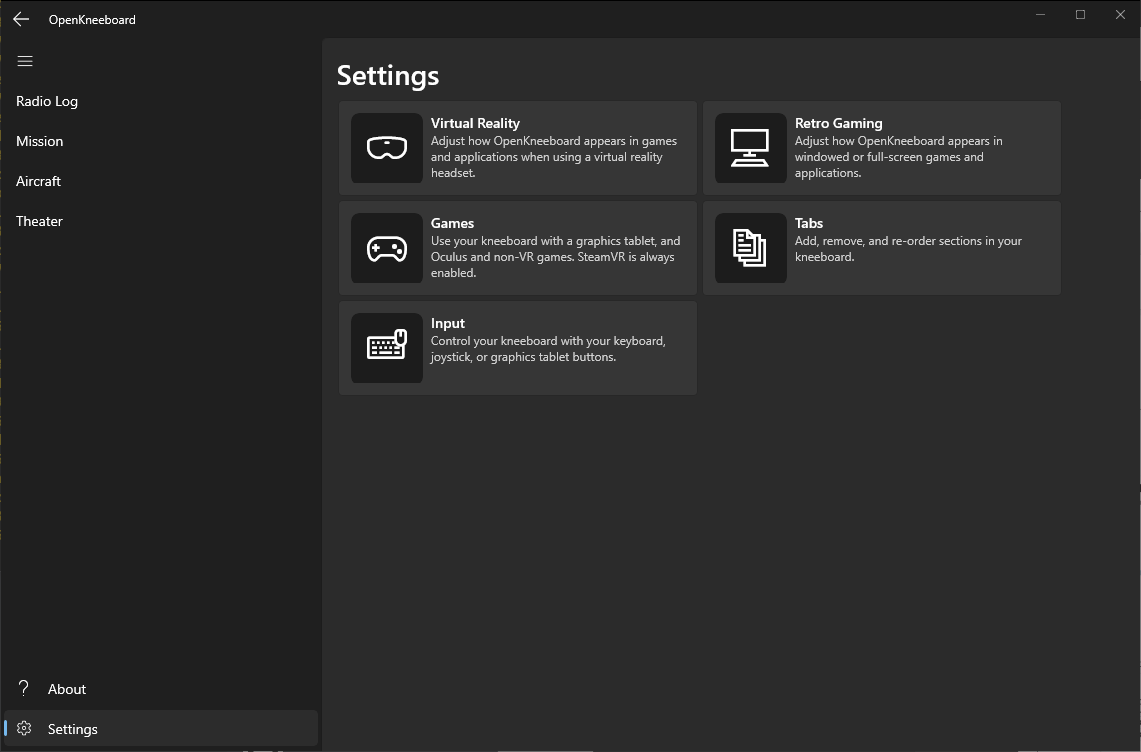
If you use the launcher remote control, you will need to download the updated remote controls zip.
Detailed Changes
- Configuration app rewrite and visual refresh (wxWidgets -> WinUI3), including new logo - thanks to Paul ‘Goldwolf’ Whittingham
- Improved performance and reduced resource usage
- Graphics tablet multi-monitor support is now bypassed when OpenKneeboard or DCS is active, letting you use the full tablet area
- Added support for DCS when installed in locations that do not match the windows registry; if DCS shows up in games settings, you may need to remove and re-add it
- Added support for DCS with custom ‘Saved Games’ locations
- Added ability to disable gaze-based zoom and use a button to toggle zoom instead
- Added size and position options for VR and non-VR users
- Added option to make ‘VR zoom if looking at the kneeboard’ target size bigger (or smaller) than the actual kneeboard
- Added option to entirely disable gaze-based zoom; this disables all headtracking in OpenKneeboard, which may have performance improvements for SteamVR users
- Made zoom magnification level configurable
- Fix OpenKneeboard (not DCS) crash when changing between missions
This build is v0.2.0.278
v0.1.2 2022-02-21 copy link
This release:
- fixes a crash if a DCS installation location is in the registry, but DCS is not installed there - for example, if the installation is moved, or a standalone installation is deleted standalone and reinstalled from steam
- fixes button bindings if additional buttons on the device are also pressed
- adds support for adding plain text files as tabs
v0.1.1 2022-02-21 copy link
This release:
- improves installer compatibility
- fixes a crash if a PDF tab is added and the PDF is later deleted
- adds
OpenKneeboard-Launch-WindowsApp.exeto the ‘RemoteControl’ zip; this can be used to launch OpenKneeboard from other applications (e.g. StreamDeck, Skatezilla updater) which do not support applications installed via MSIX or the Windows Store - does not include the unnecessary ‘Debug’ packages
v0.1.0 2022-02-20 copy link
This release includes:
- Support for SteamVR, Oculus SDK, and non-VR games. OpenXR (e.g. MSFS) is not yet supported.
- Note-taking/sketching support for wintab-compatible tablets (including Huion and Wacom)
- PDF support, including bookmarks and links (bookmarks and links require a wintab-compatible tablet)
- Change the current page with tablet buttons, keyboard combinations, or HOTAS/vjoystick buttons
- Folder-of-images support, including a quick index page (index page requires a wintab-compatible tablet)
- DCS-specific: radio log (message history - useful for CAS), mission kneeboard, aircraft kneeboard, theater kneeboard (DCS includes kneeboards for the Caucasus and NTTR theaters)
- Many performance improvements: before graphics tablet support, OpenKneeboard was designed assume pages would be changed at most 5 times per second. Smooth drawing with a tablet requires ~ 30FPS without significantly affecting game performance.
- Pre-built installers and binaries
- An embarrassingly bad logo/icon, as Windows App installers require one.